
Whitesmoke is generally known as a translation software solution for high-quality translations. It is based on advanced statistical machine translation technology. However, it was discovered that Whitesmoke toolbar is being installed to random computer systems without users’ knowledge and later on it leads to very annoying redirections, mainly to search.whitesmoke.com and some other websites. WhiteSmoke changes your homepage and default search engine to search.whitesmoke.com despite what websites have been set in your browser before. First of all, it is very annoying, especially if you are used to having a specific website that you prefer.
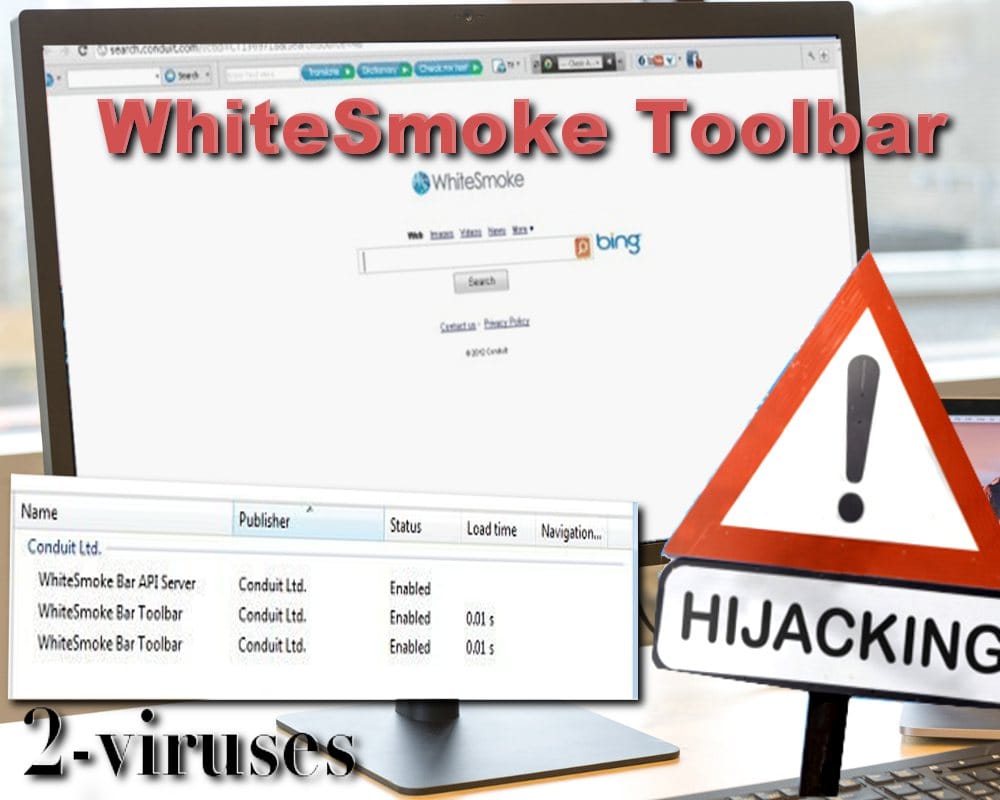
Whitesmoke toolbar is listed as a Potentially Unwanted Product because it hijacks users’ searches by default. It tends to change search results and tries to install some malicious software that can lead to stealing money from you. It causes various pop-up ads and once you click on them it can download some questionable software on your machine. The toolbar is made by Conduit, therefore the search function is redirected to their pages. They earn money for the advertisements displayed and additional software installed.
It is also very important to separate two different products – there is a legitimate application called WhiteSmoke (used for translations, as we have mentioned before). We can’t comment its’ functionality and whether it is good or not, but it is definitely not a computer virus and you can use it. As mentioned in this review, WhiteSmoke might not be the best tool for translations and it costs around $90 for a full version, yet it cannot be categorized as malware.
Cybercriminals simply use this well-known name to distribute their malware, so the virus is also named as Whitesmoke, but it has nothing to do with legitimate translations software.
How WhiteSmoke virus managed to infect your computer?
This malicious toolbar that can be categorized as a browser hijacker or simply PUP (potentially unwanted program) most of the time is distributed as a bundle to other free software that can be downloaded from the Internet. Even though it can be bundled with legitimate software, most of the time WhiteSmoke comes as a bonus to another virus. One of the obvious examples is Conduit virus – if you got this infection, there is no doubt that WhiteSmoke will come along and vice versa, if WhiteSmoke infected your computer, there will be Conduit hijacker added to it.
Playbar.biz virus and Directweblinks.com are also among those WhiteSmoke distributors. It’s kind of sad because if you are suffering from WhiteSmoke, there is almost no doubt that other malware is also running on your computer.
Malware creators often use the names of well-known products to distribute their software. Whitesmoke toolbar is one of the examples. However, if you never downloaded WhiteSmoke products, you shouldn’t have gotten their toolbars either. So if you found it on your computer out of nowhere and you constantly experience redirections and regularly receive various notification messages, you should definitely remove it.
How to uninstall Whitesmoke and stop the redirects
If you cannot find the uninstaller of Whitesmoke toolbar, we highly recommend changing your search page, search provider and then using a reliable anti-spyware program, such as Spyhunter or Spybot S&D. These programs can detect all questionable toolbars. Go to Control Panel -> Add and Remove programs list and uninstall it from there. Scan with Spyhunter as it identifies such programs quite well. You should also check browser extensions for Internet Explorer, Mozilla Firefox, and Google Chrome. If you do not see WhiteSmoke Toolbar listed, you should use antimalware tools like Spyhunter and scan your computer with it. Uninstalling the program from your computer doesn’t change your search providers, it only stops ads appearing on your computer. You will have to do it manually by yourself. Depending on the browser you are using, follow the instructions below:
On Internet explorer:
- Click the arrow on the right of search box.
- Do the following: on IE8-9 choose Manage Search Providers, on IE7 click Change Search Defaults.
- Remove WhiteSmoke Toolbar from the list.
On Firefox :
- Enter “about:config” in url bar. This will open settings page.
- Type “Keyword.url” in the search box. Right click it & reset it.
- Type “browser.search.defaultengine” in the search box. Right click it & reset it.
- Type “browser.search.selectedengine” in the search box. Right click it & reset it.
- Search for “browser.newtab.url”. Right-click and reset. This will make sure that the search page won’t launch on each new tab.
On Google Chrome:
- Click 3 horizontal lines icon on the browser toolbar.
- Select Settings.
- Select Basics ->Manage Search engines.
- Remove unnecessary search engines from list.
- Go back to Settings. On Startup choose Open blank page ( you can remove undesired pages from the set pages link too).
Automatic Malware removal tools
(Win)
Note: Spyhunter trial provides detection of parasites and assists in their removal for free. limited trial available, Terms of use, Privacy Policy, Uninstall Instructions,
(Mac)
Note: Combo Cleaner trial provides detection of parasites and assists in their removal for free. limited trial available, Terms of use, Privacy Policy, Uninstall Instructions, Refund Policy ,
I just had White Smoke removed. This took 25 seconds. If these ads want you do down load something you are being ripped off. Don’t do it. Get somebody that knows what their doing.
Ok, so for that 25 seconds, what did you do? I can’t get rid of this thing?
Please tell me how you removed the toolbar. Thanks.
Heidi
easy: browser settings > extensions > little trash can symbol next to “whitesmoke”
i went in to a place for to get spelling for a word and whitesmoke appeared on top of my screen and won’t be removed ,i have tried every thing and it is like a parasite ,need help removing it
Okay, so the White Smoke randomly appeared on my Google Chrome and I’ve looked through all my computer settings and didn’t find any way of getting rid of it. I’ve also looked through the Google Chrome settings and there wasn’t anything there either. What do I do now?
Shmope Cole Look under extensions first, and look in the PC control panel.
I just finished removing WhiteSmoke US New and the maliscious toolbar. I hope I got everything off because it had hijacked my browser and seemed to be affecting everything. I learned a lesson through all this and it has taken me most of the afternoon to figure out what happened. I apparently picked it up while trying to download a program to remove DRM. I think I will not try that again. It just wasn’t worth the grief. Thanks for the info on getting rid of this nasty bug.
@DS
On chrome URL type: chrome://extensions/
Then trash whitesmoke
@Joe Miyaki
Thanks so much… finally got rid of it!
Thanks, Joe Miyaki, that solved my WhiteSmoke nightmare in a few seconds!! You’re my hero!
So I have t his problem in Chrome, and it shows “no extensions” so there’s nothing for me to delete…
I can’t get rid of this thing… i dont want to be manually deleting reg keys. any other ideas?
Brian: You might have to scan with adwcleaner or spyhunter to get it removed automatically.
@Joe Miyaki
Excellent advice. Thanks for such direct and easy to understand directions.
Fucking window computers can’t believe they can be affected by white smoke so easily. Buying apple.