
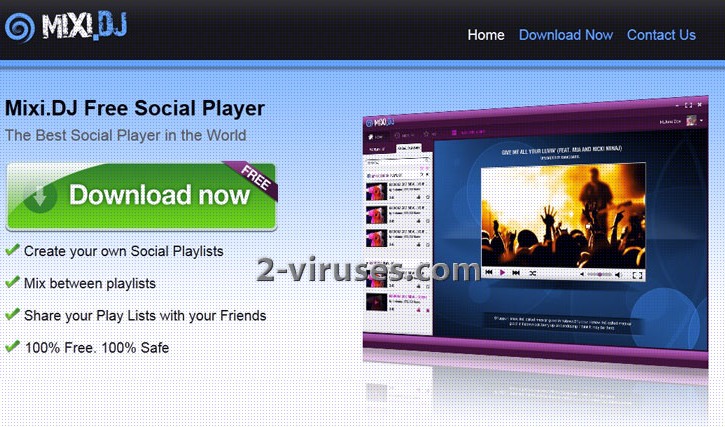
Mixi.DJ Toolbar is a desktop and browser application that can get installed to your system unintentionally. This can happen as it tends to be bundled with other software that is usually downloaded from the Internet for free, for example, Active ISO burner. The toolbar allows you to create, share and follow after your friends’ Playlists. After it is installed, Mixi.DJ toolbar changes the layout of Facebook, Youtube and some other web pages. Although you can avoid having such programs added simply by being more careful when you are installing anything and reading instructions, many do not do this. Always check what extras you are offered to install and remove check boxes for everything that you don’t want to add to your computer.
Besides altering the layout of Social websites, Mixi.DJ Toolbar makes some modifications in your browser settings. Usually, you will see that your homepage is changed and default search replaced with some other web page. Apart form that, you will suffer from receiving tons of ads that contain messages promoting certain websites or services. It can also cause redirects to unwanted websites. Generally, Mixi.DJ Toolbar cause only problems and doesn’t provide any useful tools. Moreover, other adware, like Babylon, can be added together with it and cause even more inconveniences.
Even though this application is not considered to be a malicious program, you will soon get really bothered by it. For this reason you should not wait and remove Mixi.DJ Toolbar as soon as you detect it on your system. First of all you have to uninstall it from Windows Control Panel. Go to Start -> Control Panel, click on “Uninstall Program” in Programs area. Look for Mixi.DJ Toolbar on a list and click on Uninstall/Change button next to it. Depending on which browser you are using you will also have to remove Mixi.DJ Toolbar add-ons and Extensions. Alas, those having this unwanted application say that even though the toolbar’s buttons are no longer active after these steps are completed, they still remain on Facebook or Youtube pages. Mixi.DJ removal can by simplified by running Spyhunter or other bloatware remover. This will ensure, that the toolbar won’t be reinstalled on next system boot.
How to remove Mixi.DJ Toolbar from IE:
- Open IE and go to ‘Tools‘ → ”Manage Add-ons’.
- Choose ‘Toolbars and Extensions’ and uninstall everything related to Mixi.DJ Toolbar from the list.
- Choose ‘Search Providers’ → choose the search engine you used before and make it your default search provider. Additionally, select ‘Web Search’, click ‘Disable suggestions’ to disable it.
- Go ‘Tools’ → ‘Internet Options’ and select ‘General’ tab. Click ‘Use default’ or enter your own website name, google.com or other. Finally, click ‘OK’ to save the changes.
How to remove Mixi.DJ Toolbar from Mozilla Firefox:
- Open Mozilla Firefox, go ‘Tools’ → ‘Add-ons’.
- Choose ‘Extensions’ → Mixi.DJ Toolbar and click ‘Uninstall’.
- Go ‘Tools’ → ‘Options’. Finally, reset the startup homepage or change it to google.com.
How to remove Mixi.DJ Toolbar from Google Chrome:
- Click on the icon ‘Customize and control Google Chrome’, select ‘Options’.
- Choose ‘Basic’ Options and change Google Chrome homepage to google.com or any other browser and then click the ‘Manage search engines…’ button.
- Choose ‘Google’ and make it your default search engine.
Finally we recommend you to run a full system scan using a reputable antispyware program, for example, Spyhunter.
Automatic Malware removal tools
(Win)
Note: Spyhunter trial provides detection of parasites and assists in their removal for free. limited trial available, Terms of use, Privacy Policy, Uninstall Instructions,
(Mac)
Note: Combo Cleaner trial provides detection of parasites and assists in their removal for free. limited trial available, Terms of use, Privacy Policy, Uninstall Instructions, Refund Policy ,
I Charvin reinstalled the road runner, and came the MIXI.DJ PROGRAM
Thank you for the info on how to remove MixiDJ. It is very difficult to remove and I’ve spent a good 45 minutes working on removing all the files. One thing that can be a little helpful is when you go into your UnInstall Programs, look for any Programs with the same date you installed the original software that had the Adware in it. You may find as I did, you unistall the MixiDJ and it is still there and then you go back in and you find another AdOn like Conduit. Then you will find something else. Unfortunately, this is the risk one tasks when trying and trusting a free download from CNET.
Good Luck
KAT
KAT TALES TV
I WOULD LIKE THIS INFORMATION REMOVED FROM MY PC—ASAP
3.16.2013
Definitely came from CNET, and my bad, I was going through the motions of downloading software too quickly. Saw the pre-checked boxes for toolbar add on, but the clicker finger was quicker than the brain. Have uninstalled ALL programs downloaded, used Malware, FileAssassin, and have run my Norton. Have gone in to system files and pulled Conduit out. No avail, MixiDJ is still there. Am now trying SpyHunter and keeping my fingers crossed.
@Jan
post note: running spyhunter, and it’s already found 20 conduit/mixidj files, some of them are moderately severe in risk!
Kat,
Great tip. Sure enough I sorted the items in my program list by install date and wouldn’t you know it!?! There was that piece of shit search by conduit screwing up my IE home page. Very frustrating piece of malware or whatever the kids are calling it these days.
Zach
I was plagued with this virus and tried everything to get rid of it. I finally downloaded SpyHunter and it did the trick. I gladly paid the registration fee to get it fixed and it worked. It did what, Spy Bot PC Matic and MalwareBytes couldn’t do. Thanks for the tip and your web site.
Mixi DJ was installed when I downloaded a program from CNET. I clicked NO when they asked to install stuff, yet this got in my machine. Its been 4 hours and I’ve tried various methods to to get rid of this dangerous piece of junk. Nothing seems to help, maybe I’ll have to do a clean install of Windows.
These dangerous junk program producers and distributors must be sued!!! CNET is not at all reliable now.
I installed mixi dj thinking it was a good thing, it wasn’t, i also read that it gathers your financial info !! i have had money removed from my account via fake paypal account from the USA, which is where i believe mixi dj is from, it was 4 repeats ( 3 one day, a 4th the next) of small amounts, £1.01p, all the same amount which i took as a trial to see if they could get more, i withdrew all my money and am now in the process of blocking the card and getting a new one,which i will not use on my laptop to pay anything, ever. i have uninstalled mixi dj via the controll panel, and downloaded a free mixi dj delete program,which freezes at the last point, so to speak, i also get a pop ups saying WARNING, UNINSTALL MIXI DJ DELETE TOOL, IT IS SLOWING YOUR INTERNET DOWN”..yeah, right, im not that stupid. I believe it is still lurking and will try SPYHUNTER, SEE HOW THAT GOES…FINGERS CROSSED!
Free download from cnet has infected my computer with this. Never going near cnet again. Should be prosecuted for distributing malware.
Found another program that was preventing me from changing my homepage. It was named Search Protect Conduit after unistalling it I was able to change my homepage again.
I also manually went and deleted all the registry entries connected with MixiDJ WARNING: VERY DANGEROUS TO DELETE THINGS FROM THE REGISTRY be careful. In short if you don’t know what the registry is or how to open it use an approved spyware removal program preferbly one from your anti-virus software company.
I dont want it want take it off now thank you
desema m murphy read the guide.
cannot install soyhunter from your given link
hasmik well, for me it works. What OS do you use?
I am using Win.7. In my case,Mixi Dj webpage is appearing as soon as I switch to new tab (google chrome).I have tried all possible settings like clearing history,manage search engine,removing unwanted programs from control panel,even downloaded fresh setup,but still it is occupying screen.I have scanned my computer but system shows it is clean.Please help
1. Check “on startup” setting in admin panel.
2. Right-click on chrome icon and go to properties. Make sure that .exe has no additional parameters.
3. You can try this plugin to reset the setting as well : https://chrome.google.com/webstore/detail/new-tab-redirect/icpgjfneehieebagbmdbhnlpiopdcmna?utm_source=chrome-ntp-icon
nasty,
Unsubsribe me to MIXI.DJ make my home page AOL
Graheme: read our guide
im try to delect mixidj i dont want it no more
Yolanda : read our guide.
Mozilla…go to “Tools” “add ons” “extensions” and disable or REMOVE it works..
Ken-o : It won’t fix search provider in most of the cases. You will have to handle that separately.
how does MixiDJ V30 customized web search work? can it make suggestions or only show visited websites?
J: at least in the past it showed suggestions. However, their search engine is quite useless and made for quick money only. Would not use it.
please tell me how to remove mixitoolbar