
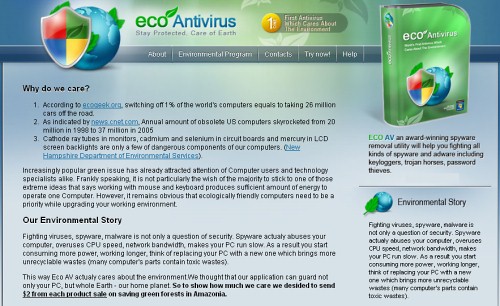
Eco Antivirus, also called as Eco Antivirus 2010, is a revamped version of the notorious Green AV, which was tremendously popular a few months back. Just like it’s predecessor, Eco Antivirus shares the premise of being an eco-friendly anti-virus program, which reduces energy emission by making the system more efficient. Eco Antivirus is already popular, which begs the question of whether the eco thing is what people are looking for these days when they choose security software. Thankfully for the human race, Eco Antivirus is not usually downloaded and installed like a normal AV would, but rather distributed by trojans, which come in the form of fake downloads online. This parasite is not unlike any other rogue in the sense that it uses misleading information to trick people into purchasing it’s “licensed version”.
Once inside, Eco Antivirus does a number of things to protect itself from removal. It blocks legitimate security software, hijacks the browser, and disables useful system services, including Task Manager, System Restore, Safe Mode, and Registry Editor. After doing that, Eco Antivirus is free to sell promote it’s product, which it does by displaying popups and fake system notifications, and performing fake system scans. The popups and the scans convey one message – the system is supposedly infected and in desperate need of security software. Eco Antivirus’ scans find tons of worms, trojans, adware, spyware, etc., and the punchline is this – want them removed? – pay money.
Eco Antivirus 2010 uasually loads such alert messages:
Internal conflict alert!
Eco AntiVirus detected internal software conflict. Some applicztion tries to get access to system kernel (such behavior is typical to Spyware/Malware). It may cause crash of your computer.
Eco AntiVirus has automatically analyzed your computer for virus and other malwares.Spyware activity alert!
Trojan.IEMonster activity detected. It is spyware that attempts to steal passwords from Internet Explorer , Mozilla Firefox, Outlook and other programs, including logins and passwords from online banking sessions, eBay, PayPal.
Do NOT trust this parasite – it will protect your system no more than the “infections” it detects will harm it. Remove Eco Antivirus as soon as possible.
Automatic Malware removal tools
(Win)
Note: Spyhunter trial provides detection of parasites and assists in their removal for free. limited trial available, Terms of use, Privacy Policy, Uninstall Instructions,
(Mac)
Note: Combo Cleaner trial provides detection of parasites and assists in their removal for free. limited trial available, Terms of use, Privacy Policy, Uninstall Instructions, Refund Policy ,
i cant get rid of this eco antivirus and now it wont even let me install anything even this spyware doctor what do i do?
Joe: You need to block eco antivirus processes before you can install spyware doctor. Also, there is a trick that works with other similar parasites: Go to c:\program files\Common and look for subdir similar to ecoantivirus. There might be uninstal.lnk file – it will stop popups and the block of other programs, but will not remove trojans by itself. Not sure if they havent changed it to new location by now, though.
Eco AntiVirus wont get off my laptop how do i get it off and how long will it take its only been 2 days but idk wat to do
I need help getting rid of eco antivirus. I don’t really understand the instructions from above since I am not very computer savy. Please Help!!
I can’t get into the download removal because it keeps popping up that my security settings are preventing from happening.
I have eco antivirus on my laptop and spyware doctor detected it but apparently I need to buy Spyware doctor in order to remove viruses?? I can’t buy it though I’m not allowed to, what should I do? PS Im getting Windows 7 soon though so will that resetting by getting a new Windows get rid of the virus or is it stored somewhere??
Lots of other sites are saying use MalwareBytes. Thats FREE – always good.
BUT – Eco has removed the copy I already had installed. Its also removed or disabled SpyBot S&D, Windows Defender, AVG Pro, AdAware, and SUPERantiSpyWare.
Now the windows installer is disabled and it will not let me re-install anything.
I cant even save anything I have tried to download.
SPyware doctor is expensive to not be able to install it either.
Now what????
This thing is really resilient! You have to run symantec, malwares, spybot, and Ad-Aware to get it completely off because it infects at least 400 objects
Please help! Malwarebytes stop half of it but theres still some of it on my computer! When i try to download something it just stops the download! when i go to sites like youtube it says this site is reported as a attack site! how do i make it stop!
First, when download remover, save it as something.pif or so. Then do a scan.
I need help getting rid of eco antivirus. I don’t really understand the instructions from above since I am not very computer savy. Please Help!!
i cant get the eco antivirus pop ups out of my system. its like forcing me to buy the thing for 100 dollars. it wont let me download anything or it wont load the pages right. what kind of virus is this that messes up my laptop.
Diego : try to disable eco antivirus using task manager and then do a scan with spyware doctor
IT is a MICROSOFT problem & their Internet Explorer!. Why have THEY not done anything re this. I’m to CHROME.
I have the Doctor & have updated it and the scan says it cannot clean this virus from my computer. Now what?
I cant find the eco antivus thing, u tell me wat excely the name of the file
i tried to disapear this eco antivirus thing but it keeps popping up different things. and it wants my computer key! what is that?
im having trouble installin the spyware doctor is doesnt install the last few kb of it… it always says error in one or more files
I was using the internet the other day and my computer said that i am going to have a virus, and then eco popped up and kept saying you need to preotect your computer now. So i went and downloaded Avast which is free for 60 days to a year with registration code that they send you to your e-mail. So i downloaded it and it works. But last night i couldn’t even play a game on my laptop because of the stupid ECO, and i tried to uninstall it but i could not find it. So i downloaded the spyware doctor and i clicked on fix problems and it sadi that i had to buy it. I am not going to download a virus protection thing, then come to finiding out that i have to buy it that is bogus! So please help me on how to get rid of Eco Antivirus for good!
i downloaded Avast! security system and it found Eco Antivirus and I dont have any problems…..the scan took a long time though…
Most people don’t like to hear this, but I find the best way to get rid of these things is a complete reinstall of windows. You don’t even need to reformat the drive, there’s an option in the installer to leave your data alone. it may break some games, but most of your stuff is intact and all of your windows files, etc. are in strange new locations, untouched by the virus.