
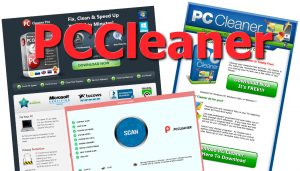
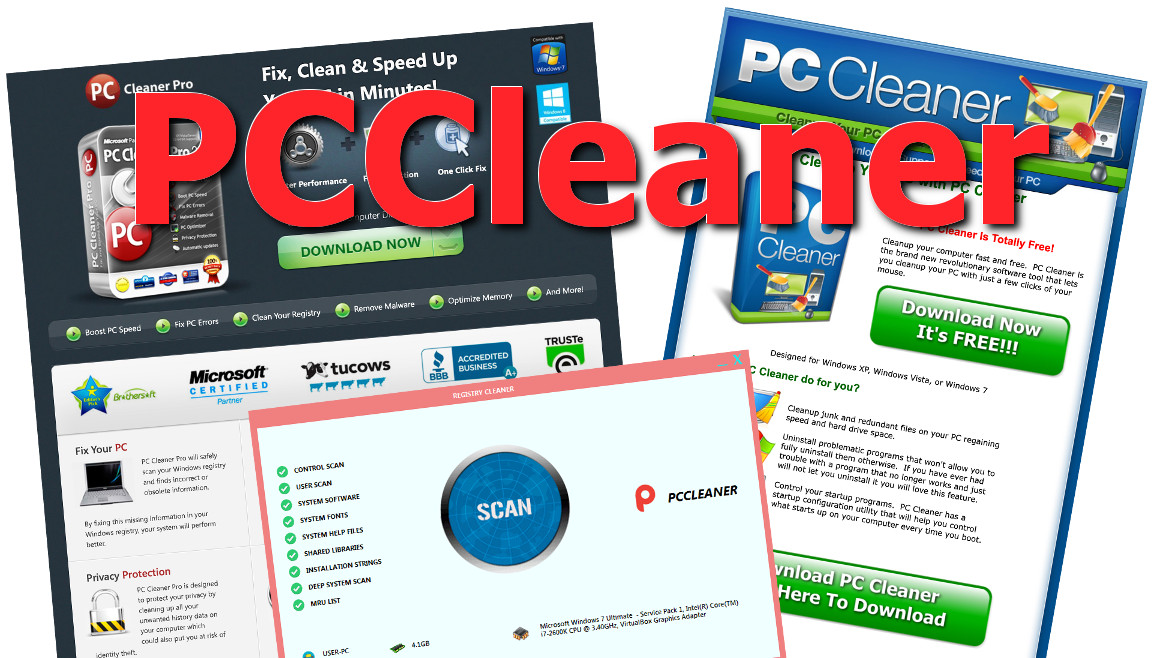
PCCleaner (not to be confused with CCleaner, a totally different application) is a rogue security and utility program – one of the many fake Windows optimizers roaming the internet today. It detects lots of problems on your computer, but doesn’t ultimately fix anything. PCCleaner preys on its users by showing fake errors and issues and then asking money to “fix” them. PCCleaner infects the system by using trojans, such as Zlob or Vundo, as well as with the help of fake Windows update pop-ups.
Pccleaner quicklinks
- PCCleaner behavior
- PCCleaner distribution
- Remove PCCleaner
- Automatic Malware removal tools
- How to remove PCCleaner using Windows Control Panel
(Win)
Note: Spyhunter trial provides detection of parasites and assists in their removal for free. limited trial available, Terms of use, Privacy Policy, Uninstall Instructions,
(Mac)
Note: Combo Cleaner trial provides detection of parasites and assists in their removal for free. limited trial available, Terms of use, Privacy Policy, Uninstall Instructions, Refund Policy ,
There is no shortage of rogue programs called some variation of PCCleaner:
- PCCleaner2014
- PC Cleaner
- PCCleaner Registry Cleaner
- PCCleanerInst
- PC-Cleaner
There’s also PCCleaner.com, PCCleaner.biz, PC-Cleaner.com, and PCCleaner.software. All these PCCleaners look different, but they all happen to be malicious.
Some PCCleaners have quite suspicious websites: they might lack contact information (always a bad sign), there might be no legitimate payment system (as a matter of fact, if you dig deeper, you can find connections to other rogues, like UltimateFixer) and the domain’s registration can be rather weird.
PCCleaner is a scam and should be treated as such: do NOT download or buy it. In fact, block pc-cleaner.com and other unwanted sites using your HOSTS file.
PCCleaner short description:
| Type of threat | Scam
Scareware Potentially unwanted program |
|---|---|
| Problems | Fake malware in scan results
Lack of developer transparency Malware spread by PCCleaner |
| PCCleaner distribution | Trojans
Malicious ads Bundling |
| Remove PCCleaner | Scan for malware automatically (SpyHunter)
Manually uninstall unwanted programs |
PCCleaner behavior
PCCleaner claims to remove spyware and protect your personal information, “optimize” your registry, delete unnecessary files, get rid of malware, and make your computer run faster. Instead, PCCleaner harms your computer’s productivity, gets its fingers into your wallet, and might even install more malware.
Once on the computer and active, PCCleaner floods the user with endless popups and fake system notifications to “inform” them of infection. This infection is made-up: the whole point of these attacks is to scare you into buying PCCleaner.
Signs that reveal PCCleaner as scareware include:
- alarmist language and threats,
- a timer ticking down,
- multiple relentless pop-ups,
- spoofing trusted sites to advertise the product.
PCCleaner is made to be purchased immediately, so scareware tactics are used to drive its sales.
PCCleaner is trying to trick people to pay money by convincing them that their computer is infected, by severely exaggerating the findings, and even making problems up. Every little cookie is a huge privacy problem, every benign registry entry is a critical error. The people behind PCCleaners hope that if they convince you that your computer is in danger, you’ll quickly pay for their program, which will then pretend to remove all the issues.
You will no doubt notice how PCCleaner’s behavior is similar to a tech support scam.
PCCleaner Registry Cleaner (very similar to PCObserver) is even worse — this program infects your computer with a screenlocker. You won’t be able to access your computer until you find out the code or get around the locker (such as by pressing Alt+F4 to close the current window, or by calling Task Manager with Ctrl+Shift+Esc).
Overall, most PCCleaner programs are scams and scareware that shouldn’t be used if you care about the wellbeing of your computer.
PCCleaner distribution
PCCleaner does not get users honestly. Instead, fake scans are advertised and fake virus alerts say that your computer is in danger. A message about viruses on your PC pops up on your screen, and though you don’t see PCCleaner’s name yet, that’s where the scam leads.
These ads can be found on free TV Show streaming sites, pirating websites, video converter sites, and other potentially illegal websites. They can also be injected into your browser by adware.
Here’s an example: one version of PCCleaner shows fake Windows Update prompts and then redirects users to a site that looks like it’s copying Microsoft.com’s color scheme and layout:
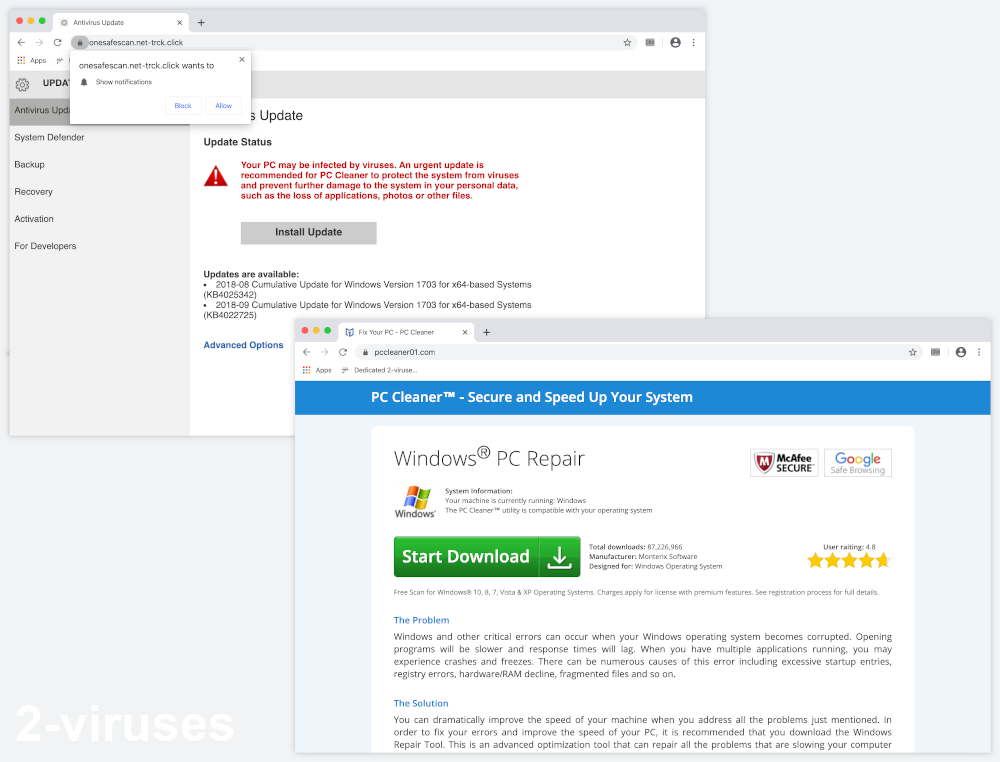
PCCleaner is blatantly lying to and cheating the user. It’s predatory and malicious. Don’t believe such scams and be very suspicious of websites that try to scare you. Use a real antivirus program to make sure that an adware virus isn’t hiding on it, or else it will try to infect your computer again.
But worse than seeing malicious ads for PCCleaner is having malware like Zlob or Vundo trick you to download PCCleaner. These trojans display pop-ups right on the infected computer with fake warnings about infection and then download a fake optimizer. The trojans get installed under false pretenses, too.
Bundling is also used to spread PCCleaner. That’s when PCCleaner is downloaded and installed alongside a free wanted program (usually a free program downloaded from a site that distributes lots of programs), without being disclosed. You might let PCCleaner on your computer without realizing it.
Remove PCCleaner
If you have third-party programs on your computer bugging you with pop-ups and you want to uninstall it, that’s what you should do. But some versions of PCCleaner might be persistent and refuse to be uninstalled normally, or they’ll leave behind malicious files. If you’re not a specialist, you can just use an anti-malware program like SpyHunter to catch and delete all the dangerous stuff automatically.
Automatic Malware removal tools
(Win)
Note: Spyhunter trial provides detection of parasites and assists in their removal for free. limited trial available, Terms of use, Privacy Policy, Uninstall Instructions,
(Mac)
Note: Combo Cleaner trial provides detection of parasites and assists in their removal for free. limited trial available, Terms of use, Privacy Policy, Uninstall Instructions, Refund Policy ,
How to remove PCCleaner using Windows Control Panel
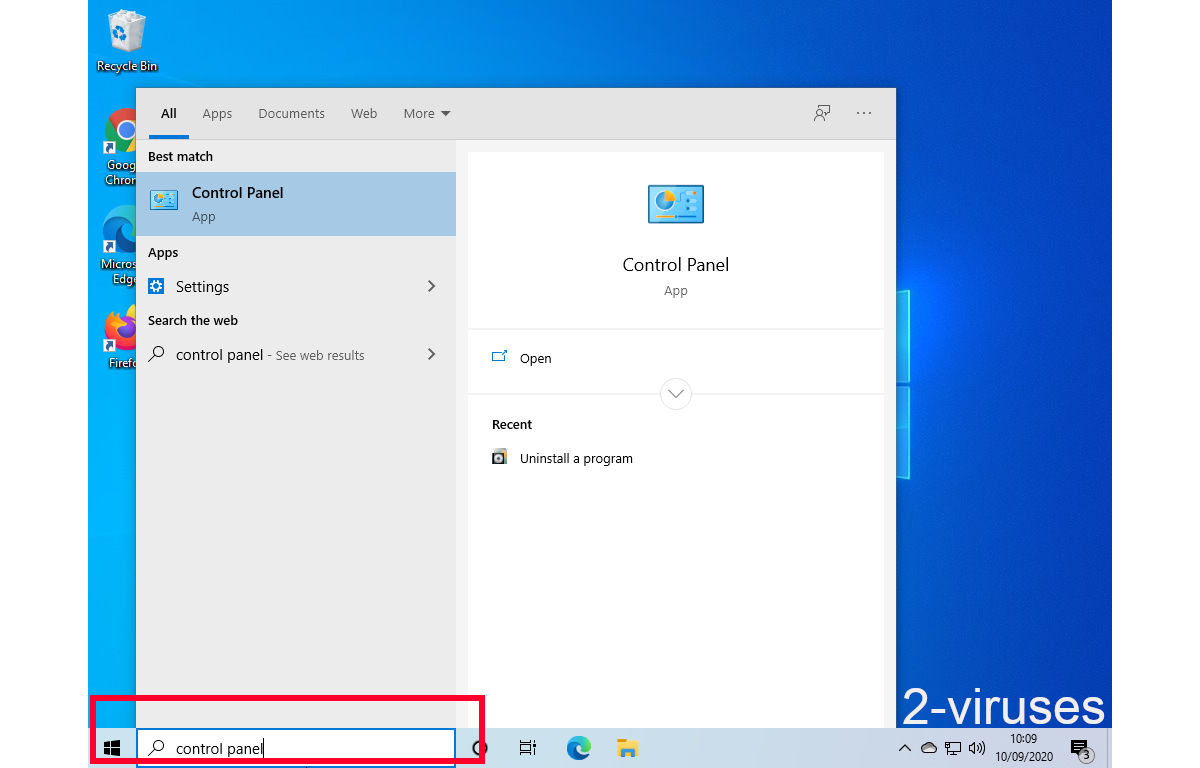
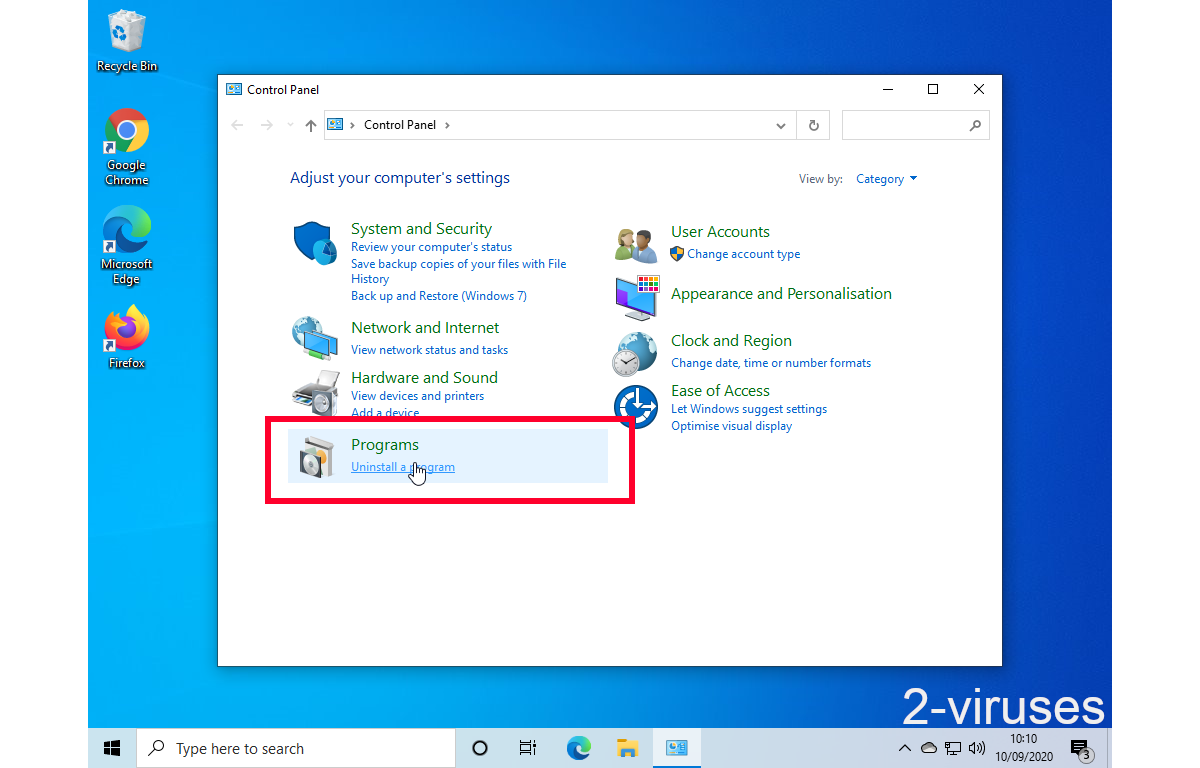
Many hijackers and adware like PCCleaner install some of their components as regular Windows programs as well as additional software. This part of malware can be uninstalled from the Control Panel. To access it, do the following.- Start→Control Panel (older Windows) or press Windows Key→Search and enter Control Panel and then press Enter (Windows 8, Windows 10).

- Choose Uninstall Program (if you don't see it, click in the upper right next to "View by" and select Category).
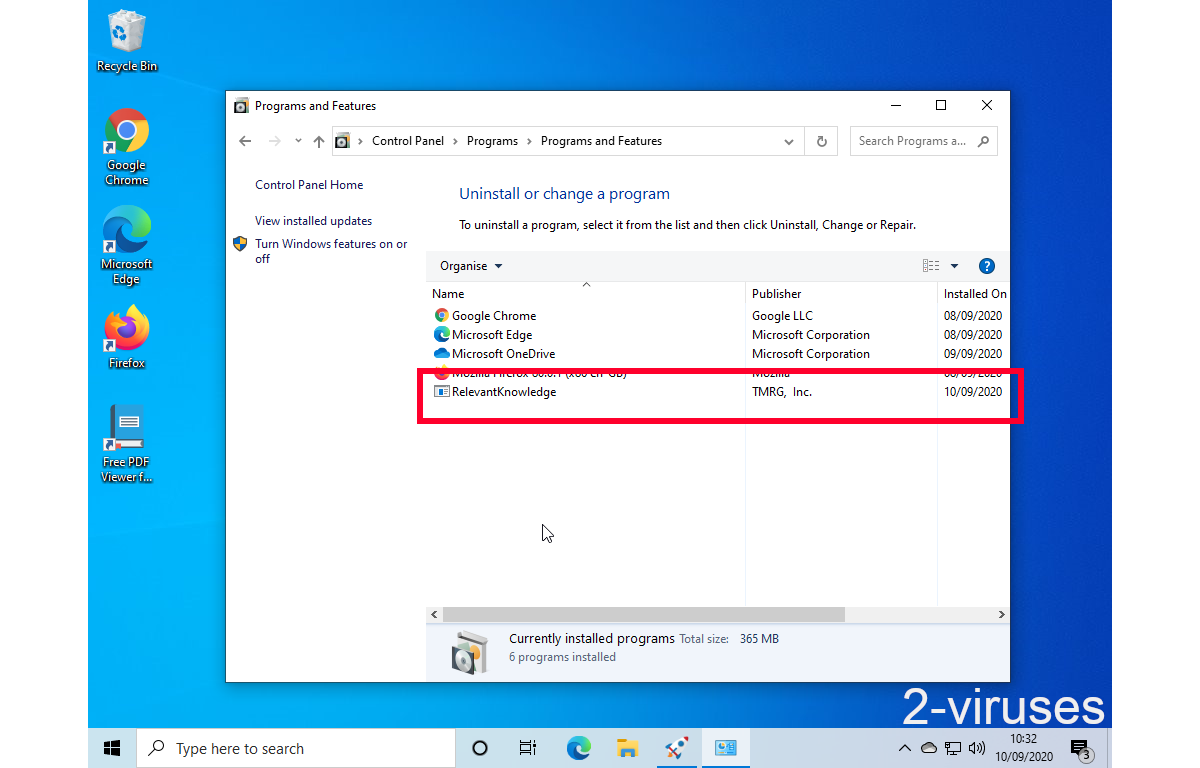
- Go through the list of programs and select entries related to PCCleaner . You can click on "Name" or "Installed On" to reorder your programs and make PCCleaner easier to find.
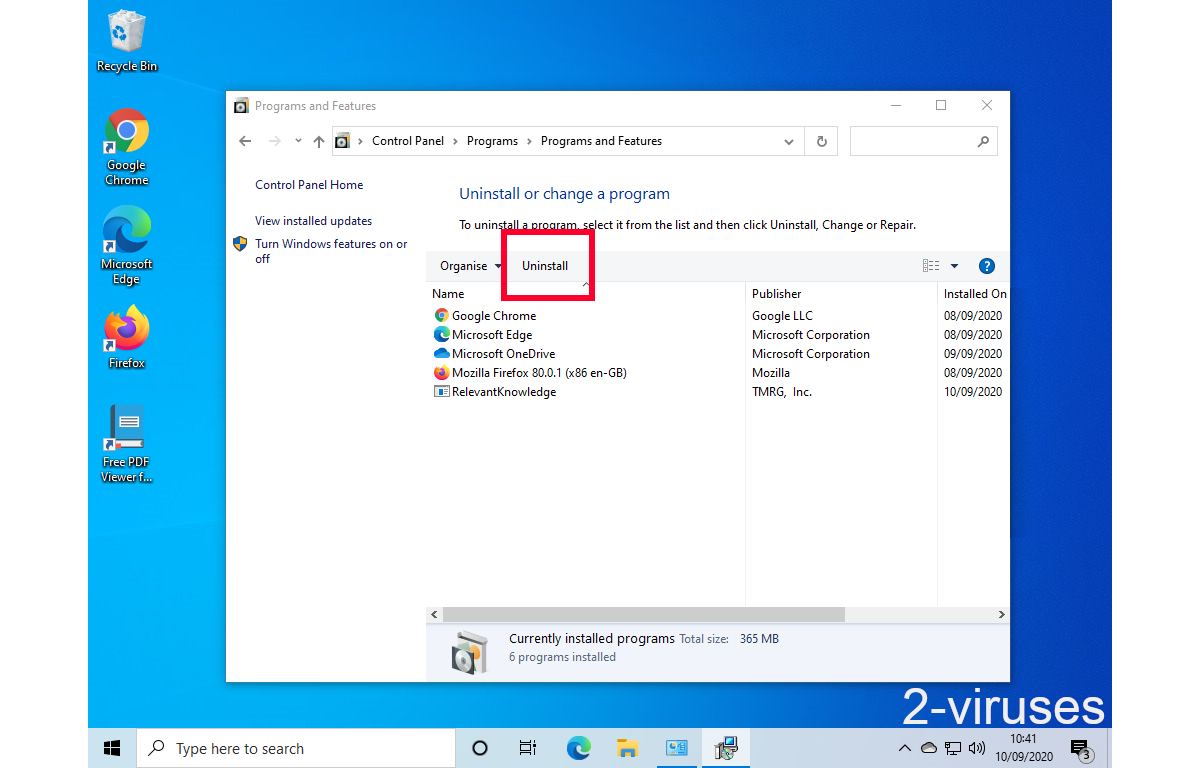
- Click the Uninstall button. If you're asked if you really want to remove the program, click Yes.
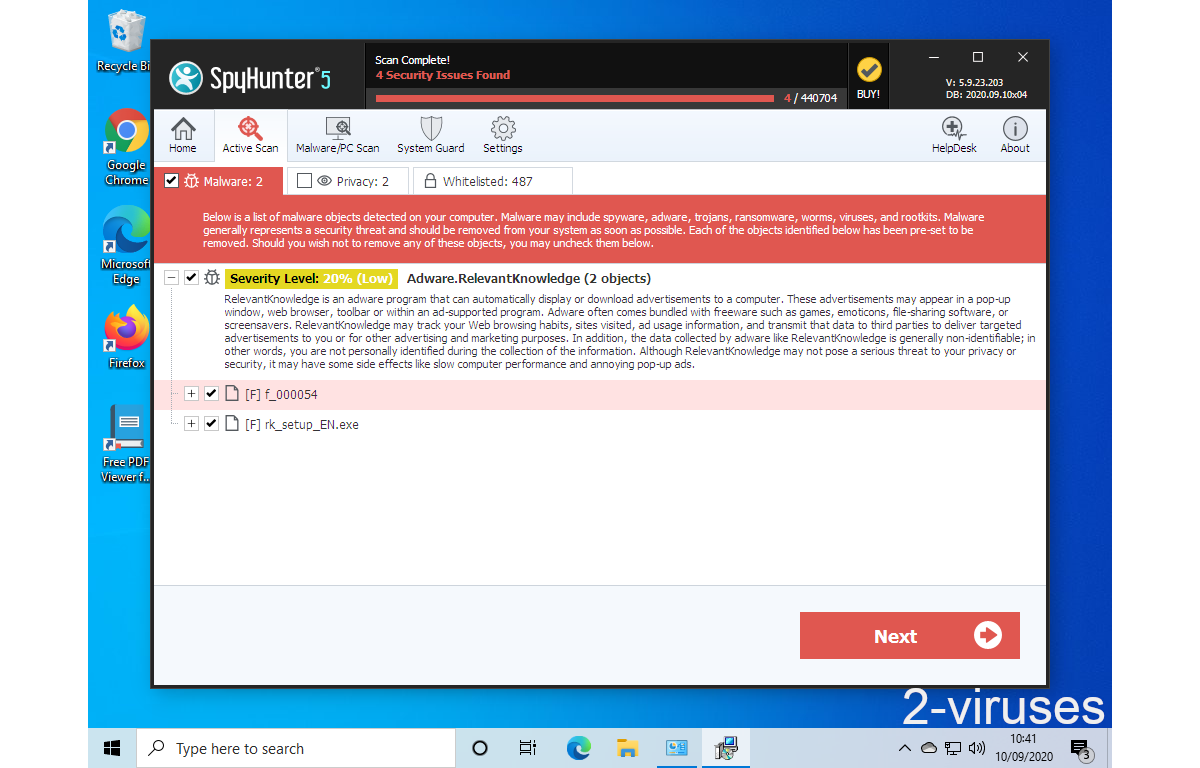
- In many cases anti-malware programs are better at detecting related parasites, thus I recommend installing Spyhunter to identify other programs that might be a part of this infection.
I cannot find any of these files. I keep running the virus and anti-spyware programs to get rid of it, and it keeps on doing its thing. What can I do?
Drogovska
I have had a friend of mine tell me that the only way to remove this particular spyware is to do so manually.
I downloaded, installed, and ran Spyware Doctor on a full system scan and PC-Cleaner still is flashing its virus warnings. How can I get rid of this?
Update: I downloaded and ran Malwarebyte’s Anti-Malware (free version), ran a full system scan, and that found and got rid of PC-Cleaner finally.
get rid of p c cleaner
would u cancel smart pc cleaner thank you
ronald perley we are not related to pccleaner
PC cleaner is the worst piece of crap I’ve ever had to deal with. It will not uninstall with the uninstall program and when you call the number to get it removed you get about an hour of propaganda of why you should buy it. They claim they are endorsed by Windows and Microsoft, but I doubt it. Don’t get involved in this scam.
geekuninstaller.com does the job perfectly!
Use forced uninstall.
The thing that perturbs me most that my hotmail web page carries advertizing for PCCleaner and that Microsoft turns a blind eye to this scandal.
There’s a hidden ‘uninstall’ button on the annoying ‘call us’ popup. Try pressing the Enter key when you see the popup. It seems to uninstall properly from there
A. Feimann #9 idea with the geekuninstaller.com worked beautifully to remove that piece of garbage from my programs when nothing was working!! thanks to him!!!
i Removed all the files on your List and ran uninstall in safe mode + spyhunter + Malwarebytes Anti-Malware + Loaris Trojan Remover Thay found stuff but when i go to install my antiVirus it still tells me to first remove PC CLeaner Pro
how can i get MY payed AVG antiVirus to install on win 7 with a dam bit of PC CLeaner Pro still on my pc or help me remove pc cleaner pro 🙁