
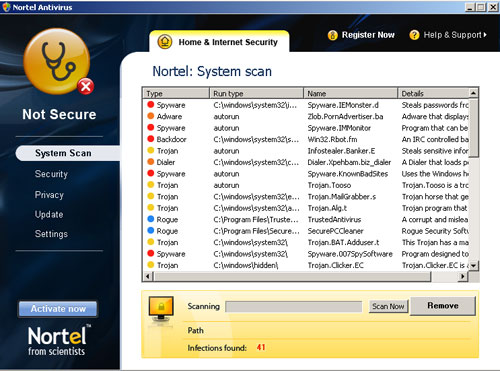
Do not be tricked into purchasing Nortel Antivirus! Nortel Antivirus is a sly rogue anti-spyware which looks similar to Norton Antivirus both in name and in appearance. It has almost the same name, logo and interface as the legitimate Norton AV, but spreads through software vulnerabilities and unsafe websites. After an unsuspecting computer user enters one of those Internet hosts, trojans download and install the trial of this scam, which starts its malicious tactics.
First of all, Nortel Antivirus loads numbers of fabricated PC system scans just after being installed. Of course, this unwanted application detects tons of cyber threats and displays various warning messages about them. Also, the user is continuously prompted to purchase the “full” Nortel Antivirus version which is said to remove all these nonexistent infections. Don’t trust any of these advices! Use reputable security software and remove Nortel Antivirus immediately!
The first appearance on the stage by this misleading Nortel Antivirus was witnessed back in 2009. After almost 7 years, the amount of rogue anti-spyware programs or optimizers has only drastically increased. Now, almost every user should be aware of the possibility that a disturbing application can initiate scans and report fabricated results. Security tools that lie to their user communities by alarming them with non-existent viruses are discouraged from being utilized. In fact, there won’t be an easy way to operate which such programs since they will show you nonsensical results to scans and present you with only one possible way of saving yourself. You can guess the recommendation that is made by a lot of rogue security tools: their creators awfully convincingly praise the full versions of such products. It is said that if you do get a full version, your device will be able to eliminate malware, spyware, Trojans, adware or other sneaky parasites. Nortel Antivirus is not a security which you should employ for protection. It won’t actually secure anything and will merely put you in compromising positions. You might have to make decisions, regarding the security of your device, that you surely more rather avoid.
Your security is the main thing that is of a concern to us. If whenever you are feeling in doubt about the state of your device, then you should run security scans with reputable security software. Only reliable applications will paint a truthful picture and warn you if there is, in fact, a virus. Trusting applications like Nortel Antivirus is not a deed that you should pursue. Following the recommendations of rogue anti-spyware won’t lead you to positive consequences: they can more likely be called repercussions. The security tool won’t provide you with an appropriate service even if you pay for the full version.
Now, in November of 2016, the family of rogue security tools is rapidly growing and introducing new members. The best way to detect such potentially unwanted programs (PUPs) is to notice that bizarre scans are regularly ran without your permission. Then, misleading rogues are going to do their best in convincing you that your device is indeed infected with a worrying number of malware. This is, of course, not true and you should not fall into the web of lies and be eaten by a vicious spider. However, it can be quite difficult to find a trustworthy anti-malware tool that won’t be interested in deceiving you in any way. That is why we can dare and make some suggestions. Spyhunter or Malwarebytes are three hit soldiers to stand in the battlefield for you against malware infections. Since this potentially unwanted program can be also eliminated manually, we will also gracefully provide you with instructions to succeed in this task.
Nortel Antivirus quicklinks
- Automatic Malware removal tools
- Manual removal of Nortel Antivirus
- How to remove Nortel Antivirus using Windows Control Panel
- How to remove Nortel Antivirus from macOS
Automatic Malware removal tools
(Win)
Note: Spyhunter trial provides detection of parasites and assists in their removal for free. limited trial available, Terms of use, Privacy Policy, Uninstall Instructions,
(Mac)
Note: Combo Cleaner trial provides detection of parasites and assists in their removal for free. limited trial available, Terms of use, Privacy Policy, Uninstall Instructions, Refund Policy ,
Manual removal of Nortel Antivirus
How to remove Nortel Antivirus using Windows Control Panel
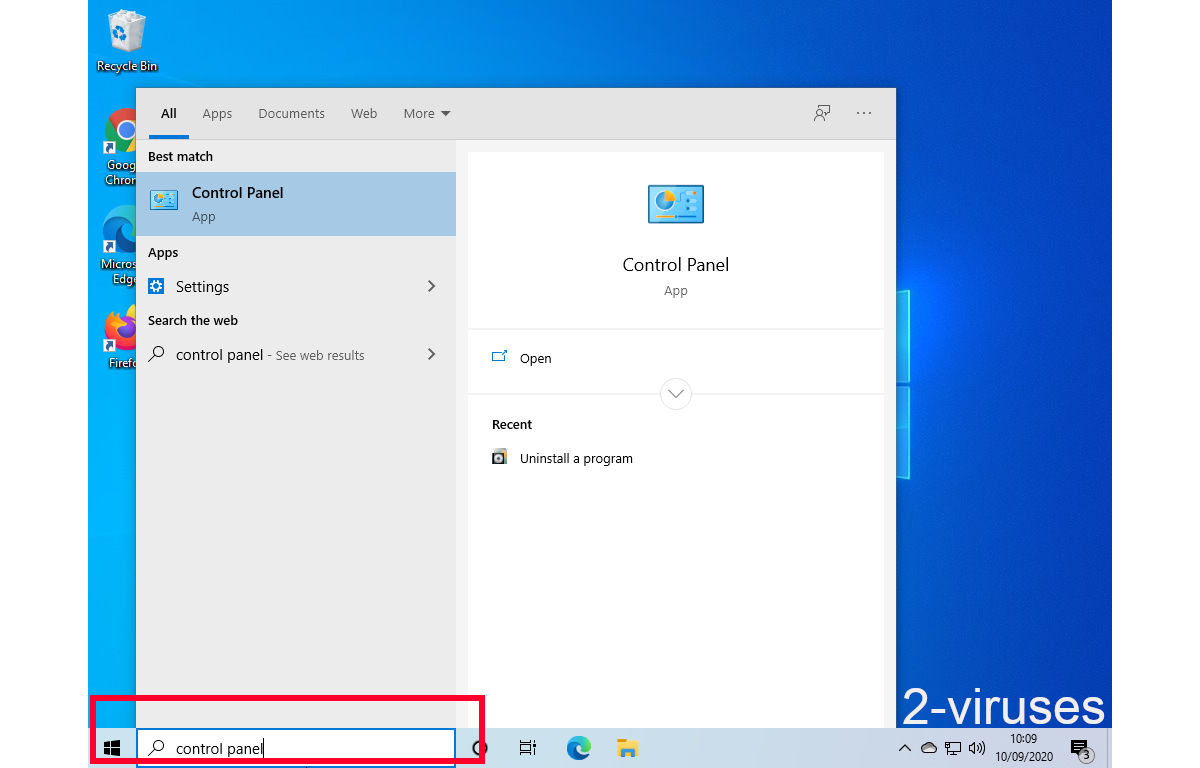
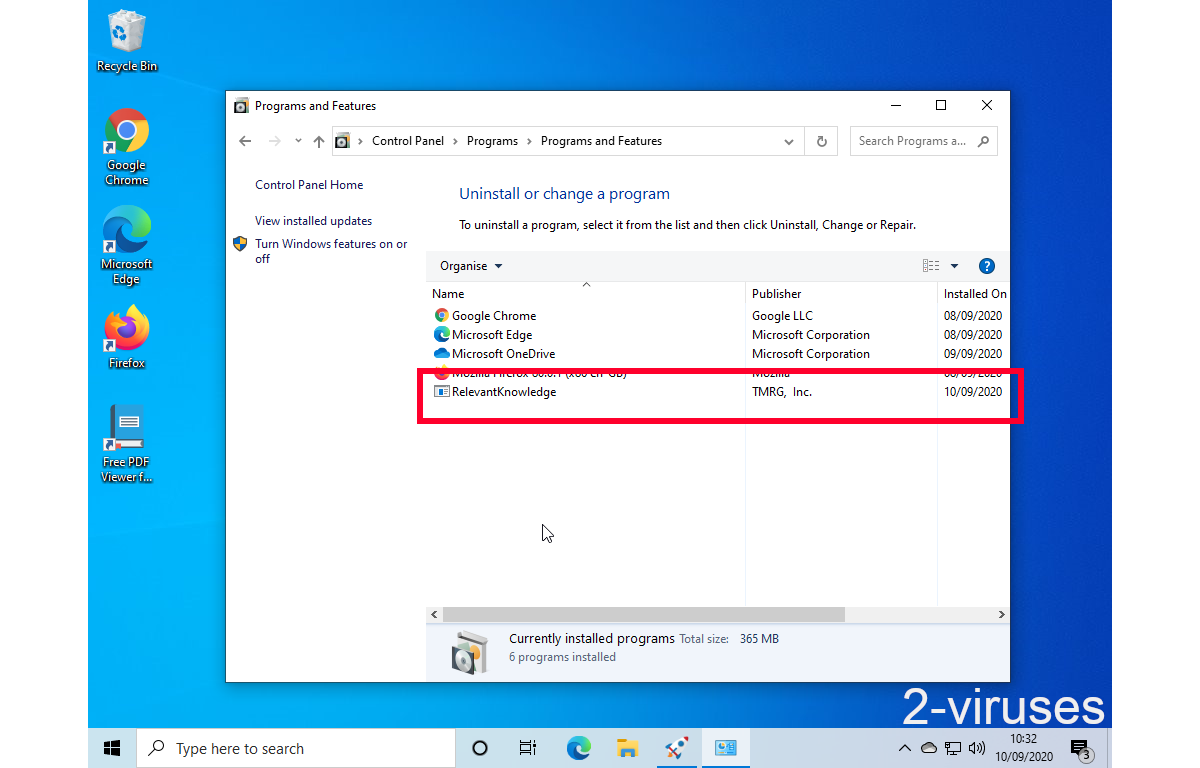
Many hijackers and adware like Nortel Antivirus install some of their components as regular Windows programs as well as additional software. This part of malware can be uninstalled from the Control Panel. To access it, do the following.- Start→Control Panel (older Windows) or press Windows Key→Search and enter Control Panel and then press Enter (Windows 8, Windows 10).

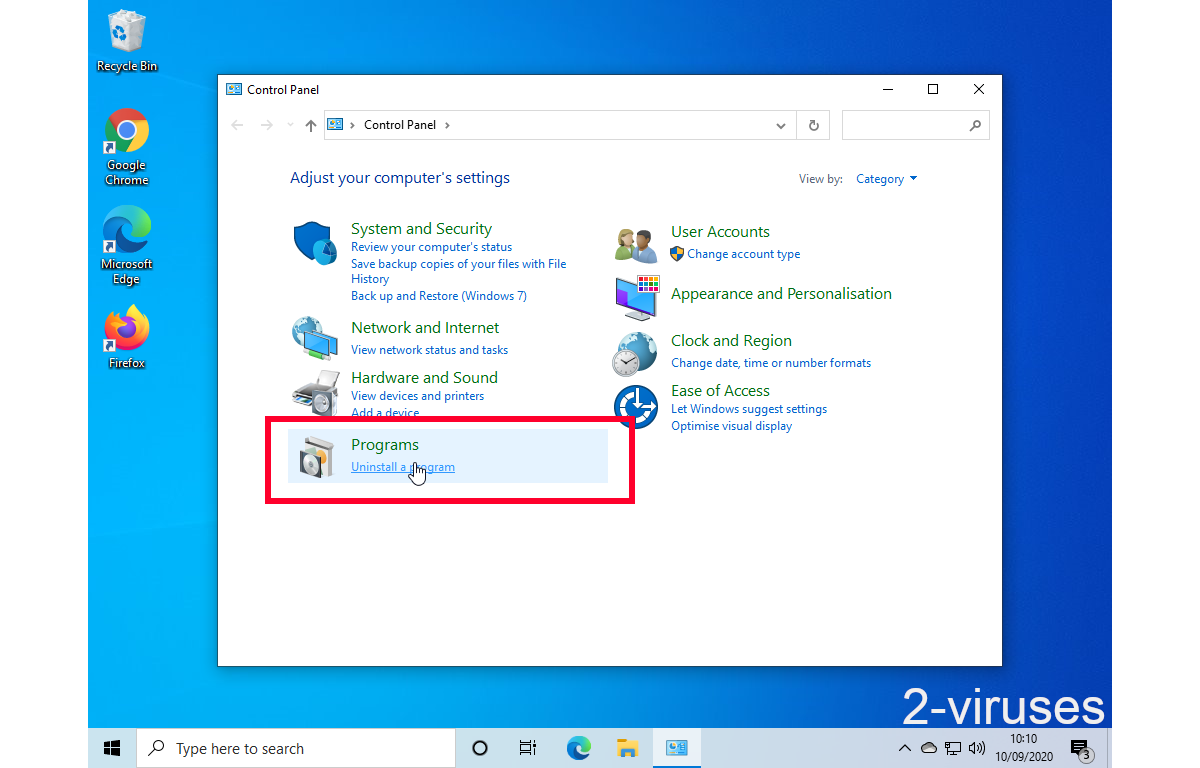
- Choose Uninstall Program (if you don't see it, click in the upper right next to "View by" and select Category).
- Go through the list of programs and select entries related to Nortel Antivirus . You can click on "Name" or "Installed On" to reorder your programs and make Nortel Antivirus easier to find.
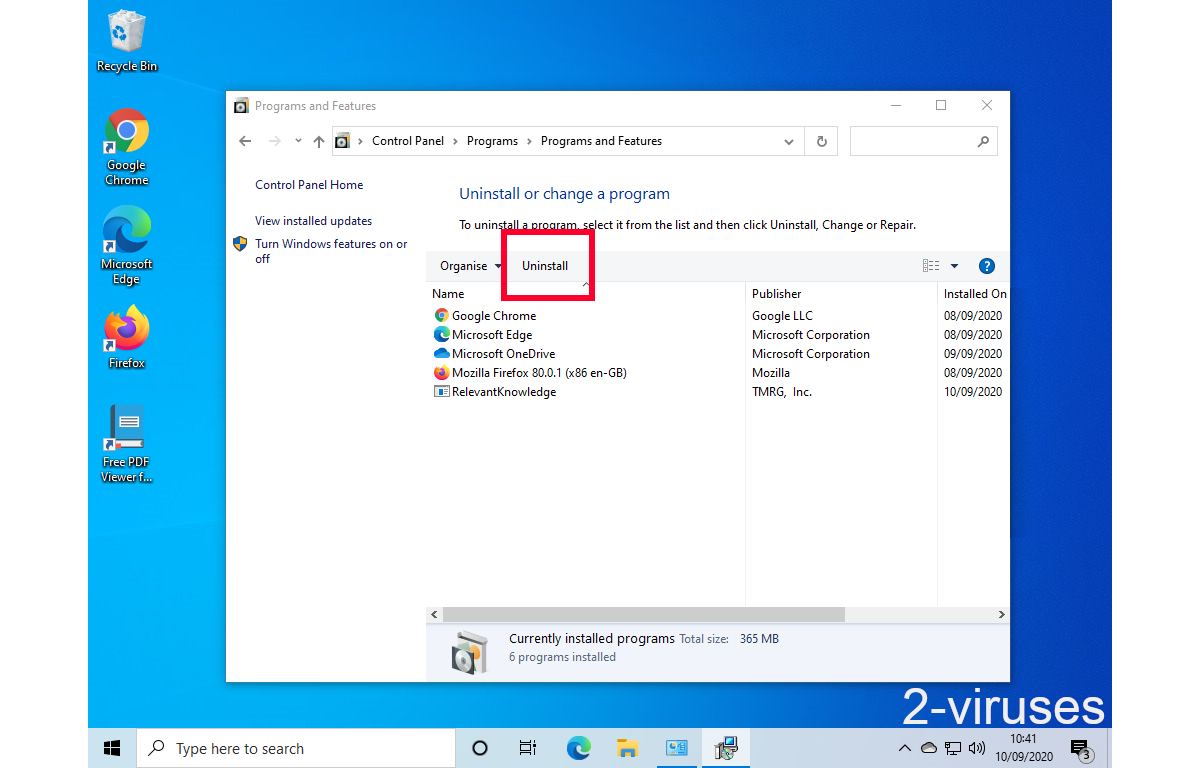
- Click the Uninstall button. If you're asked if you really want to remove the program, click Yes.
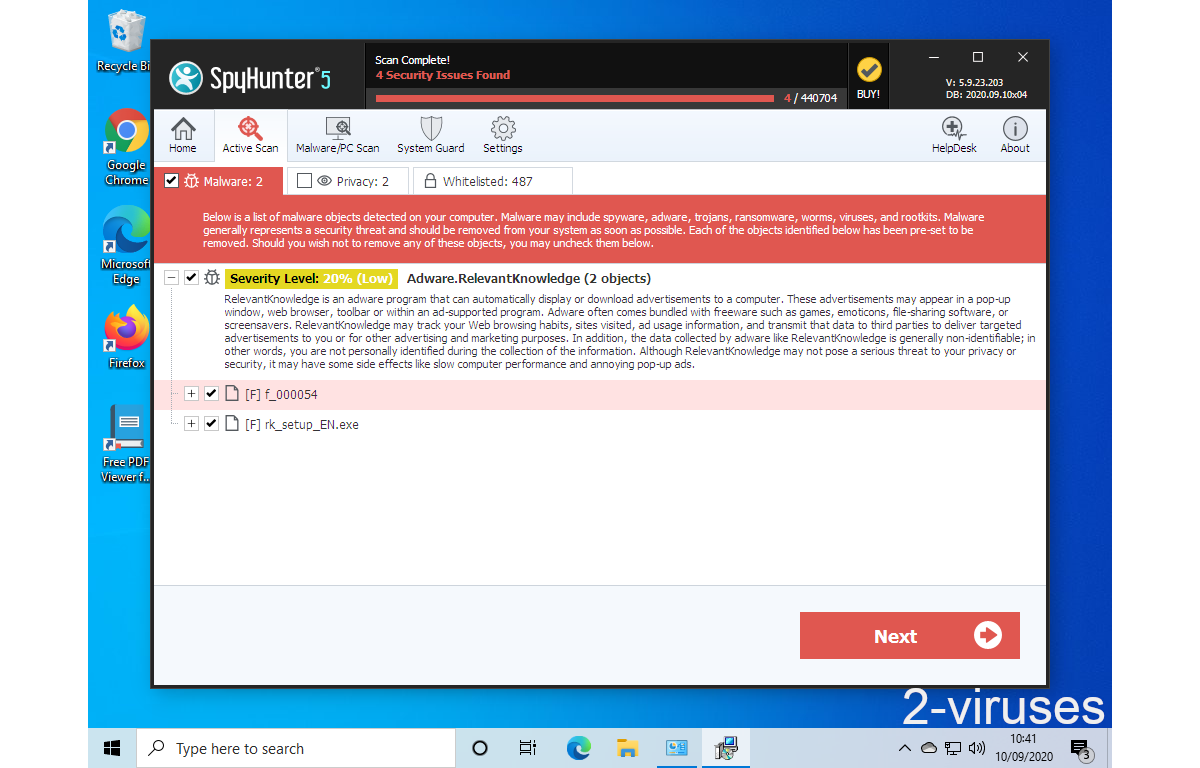
- In many cases anti-malware programs are better at detecting related parasites, thus I recommend installing Spyhunter to identify other programs that might be a part of this infection.
How to remove Nortel Antivirus from macOS
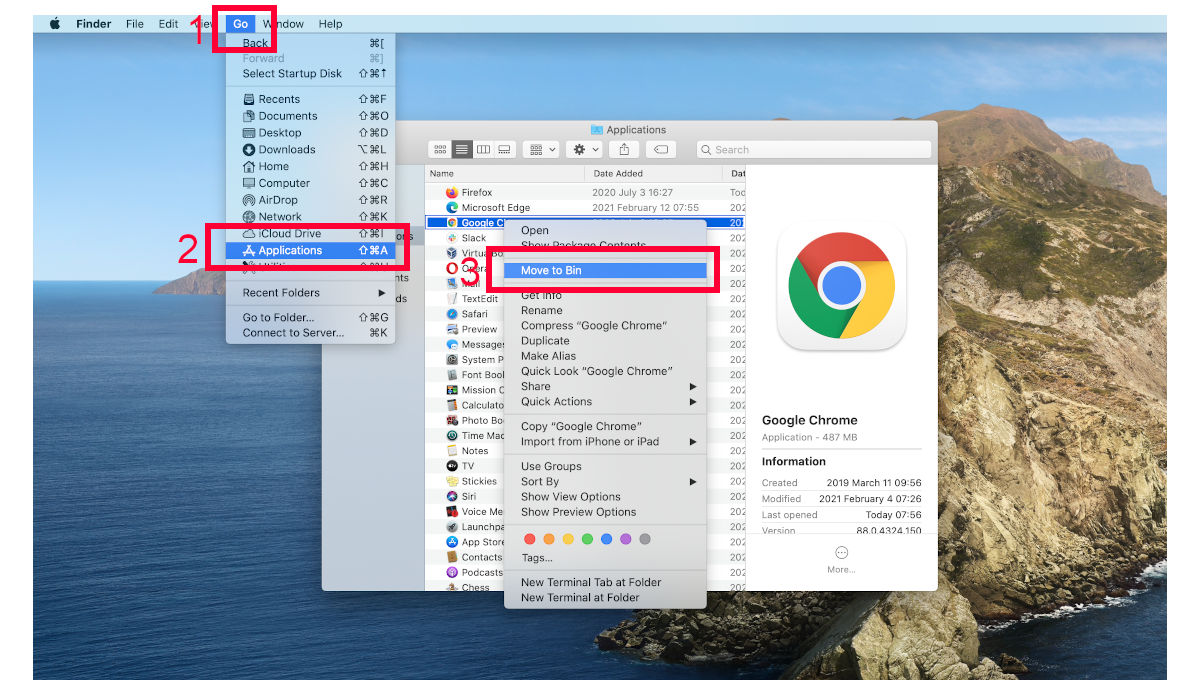
Delete Nortel Antivirus from your applications.- Open Finder.
- In the menu bar, click Go.
- Select Applications from the dropdown.
- Find the Nortel Antivirus app.
- Select it and right-click it (or hold the Ctrl and click the left mouse button).
- In the dropdown, click Move to Bin/Trash. You might be asked to provide your login password.
TopRemove malicious extensions from Internet Explorer
- Press on the Gear icon→Manage Add-ons.
- Go through Toolbars and extensions. Remove everything related to Nortel Antivirus and items you do not know that are made not by Google, Microsoft, Yahoo, Oracle or Adobe.
- Close the Options.


(Optional) Reset your browser’s settings
If you are still experiencing any issues related to Nortel Antivirus, reset the settings of your browser to its default settings.
- Press on the Gear icon->Internet Options.
- Choose the Advanced tab and click on the Reset button.
- Select a “Delete personal settings” checkbox and click on the Reset button.
- Click on the Close button on the confirmation box, then close your browser.


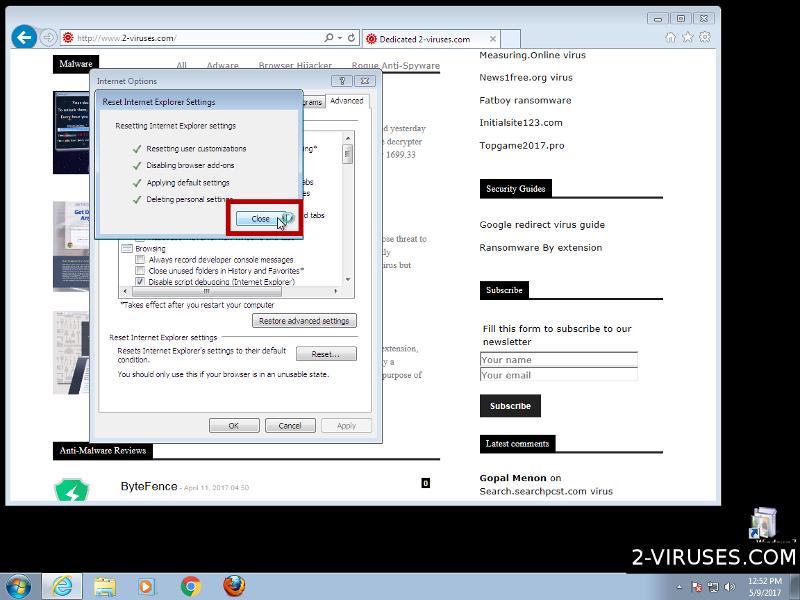
If you cannot reset your browser settings and the problem persists, scan your system with an anti-malware program.
TopRemoving Nortel Antivirus from Chrome
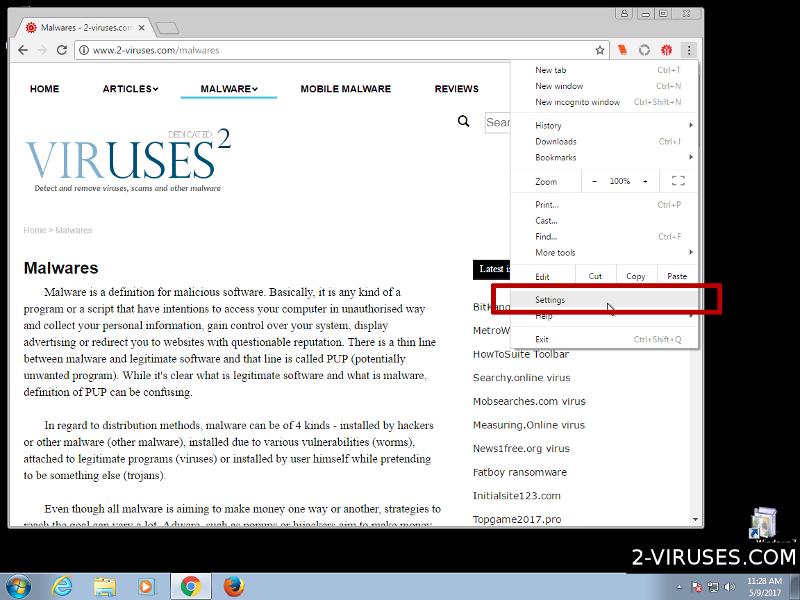
- Click on the menu button on the top right corner of a Google Chrome window. Select “Settings”.
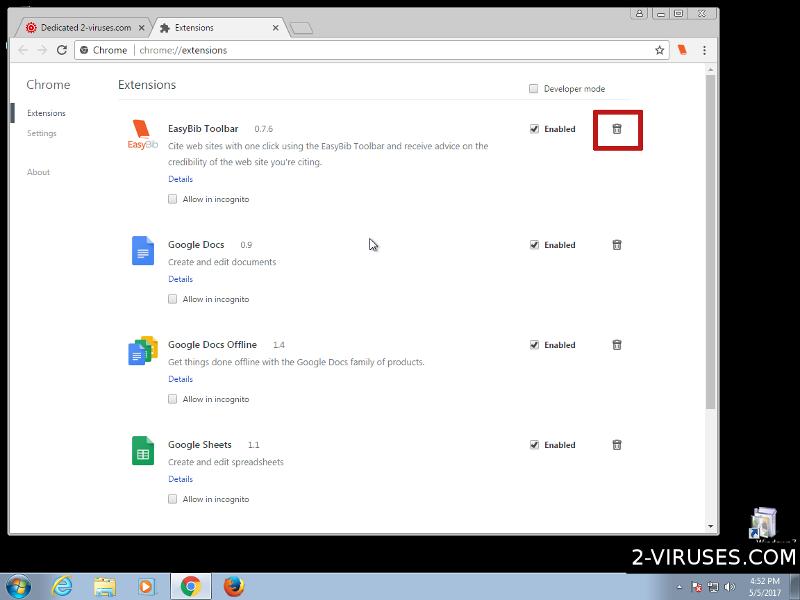
- Click “Extensions” on the left menu bar.
- Go through the extensions list and remove programs you do not need, especially similar to Nortel Antivirus. Click on the trash bin icon next to Nortel Antivirus or other add-ons you want to remove.
- Press on the “Remove” button on the Confirmation window.
- If unsure, you can disable them temporarily.
- Restart Chrome.


(Optional) Reset your browser’s settings
If you are still experiencing any issues related to Nortel Antivirus, reset the settings of your browser to its default settings.
- Click on Chrome’s menu button (three horizontal lines) and select Settings.
- Scroll to the end of the page and click on the Reset settings button.
- Click on the Reset button on the confirmation box.


If you cannot reset your browser settings and the problem persists, scan your system with an anti-malware program.
TopRemoving Nortel Antivirus from Firefox
- Click on the menu button on the top right corner of a Mozilla window and select the “Add-ons” icon (or press Ctrl+Shift+A on your keyboard).
- Go through Extensions and Addons list, remove everything Nortel Antivirus related and items you do not recognise. If you do not know the extension and it is not made by Mozilla, Google, Microsoft, Oracle or Adobe then you probably do not need it.


- Click on the menu button on the top right corner of a Mozilla Firefox window. Click on the Help button.
- Choose Troubleshooting Information on the Help menu.
- Click on the Reset Firefox button.
- Click on the Reset Firefox button on the confirmation box. Mozilla Firefox will close and change the settings to default.


How to remove Nortel Antivirus from Microsoft Edge:Top
- Click on the menu button on the top right corner of a Microsoft Edge window. Select “Extensions”.
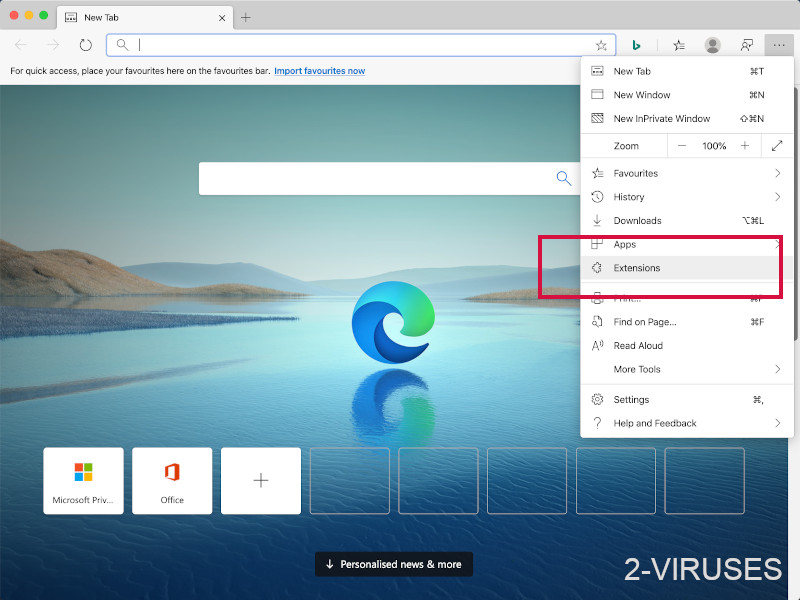
- Go through the extensions list and remove programs you do not need, especially similar to Nortel Antivirus. Click on the "Remove" icon next to Nortel Antivirus or other add-ons you want to remove.
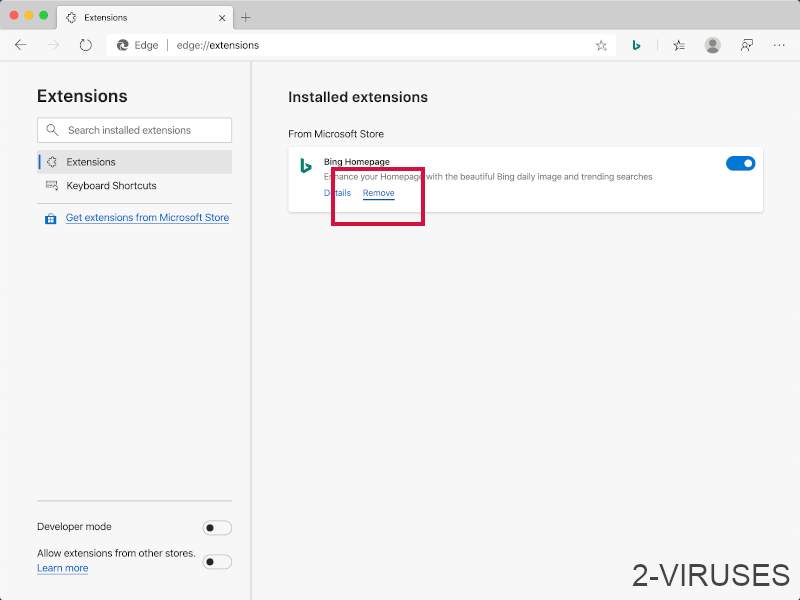
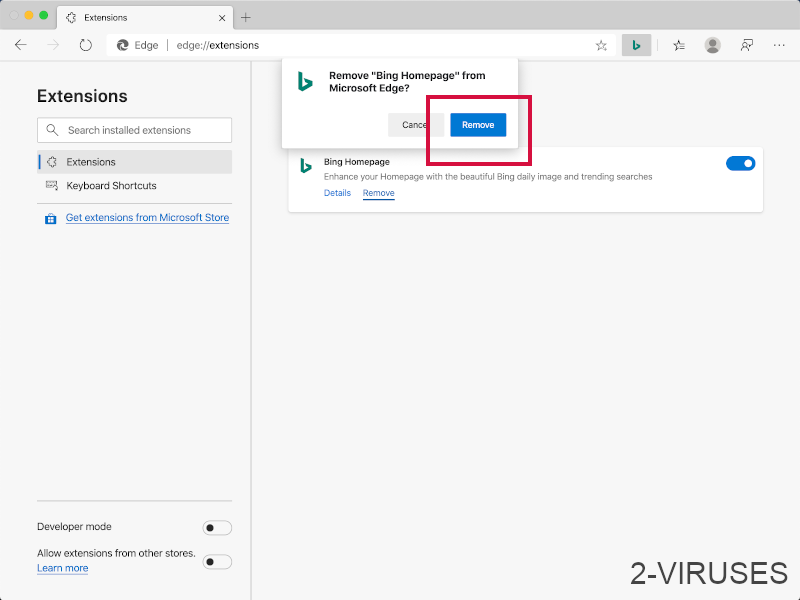
- Press on the “Remove” button on the Confirmation window.
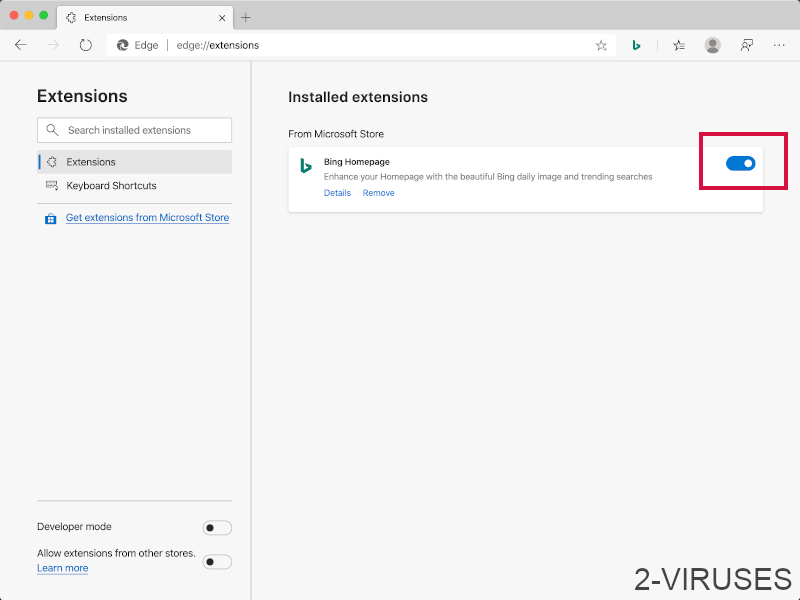
- If unsure, you can disable them temporarily.
- Restart Microsoft Edge.
TopRemoving Nortel Antivirus from Safari (Mac OS X)
- Click on the Safari menu.
- Choose Preferences.
- Click on the Extensions Tab.
- Click on the Uninstall button near the Nortel Antivirus. Remove all other unknown or suspicious entries too. If you are not sure whether you need the extension or not, you can simply uncheck the Enable check-box to disable the extension temporarily.
- Restart Safari.


(Optional) Reset your browser’s settings
If you are still experiencing any issues related to Nortel Antivirus, reset the settings of your browser to its default settings.
- Click on the Safari menu on the top left corner of the screen. Select Reset Safari.
- Select which options you want to reset (usually all of them come preselected) and click on the Reset button.


If you cannot reset your browser settings and the problem persists, scan your system with an anti-malware program.