
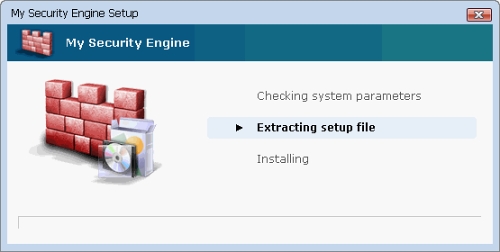
My Security Engine (also known as MySecurityEngine) is a fake anti-spyware tool which is foolishly recommended for the removal of various cyber threats. These viruses reported by My Security Engine are mostly invented by the same program and do not pose any potential danger for the PC. Actually, this parasite has much in common with Security Guard which is also known to have done much harm for the thousands of computers.
Basic mission of MySecurityEngine is to make users think that their computer is infected by viruses and then recommend purchasing its full commercial version to fix the PC. According to this plan, at the beginning program drops fake randomly named files that later after scanning the system will be detected as malware. Some of these files are:
%UserProfile%\Recent\ANTIGEN.dll
%UserProfile%\Recent\CLSV.dll
%UserProfile%\Recent\eb.sys
%UserProfile%\Recent\energy.dll
%UserProfile%\Recent\exec.dll
%UserProfile%\Recent\exec.drv
%UserProfile%\Recent\exec.tmp
%UserProfile%\Recent\gid.dll
%UserProfile%\Recent\kernel32.sys
%UserProfile%\Recent\kernel32.tmp
%UserProfile%\Recent\pal.dll
%UserProfile%\Recent\PE.dll
%UserProfile%\Recent\PE.exe
%UserProfile%\Recent\ppal.drv
%UserProfile%\Recent\runddlkey.drv
%UserProfile%\Recent\SICKBOY.sys
%UserProfile%\Recent\tjd.sys
My Security Engine then starts initiating fake system scanners, alerts and notifications and announces serious spyware detected. Above mentioned files are reported as malicious ones trying to make PC users fall into this trick. My Security Engine completely bombards its victims with fake security messages and then offers to purchase its so called “full” version. My Security Engine’s “full” version is presented as the only tool capable to remove all the “detected” viruses.
It’s important to remember that My Security Engine does not provide any protection and cannot possibly remove any malware. Being distributed with a help of Trojans, it detects invented viruses and additionally offers its useless services. Remove My Security Engine because it will slow down your computer and also will let more malware inside. If it happens for you to spot its activity, get rid of malicious My Security Engine without any delay.
Automatic Malware removal tools
(Win)
Note: Spyhunter trial provides detection of parasites and assists in their removal for free. limited trial available, Terms of use, Privacy Policy, Uninstall Instructions,
(Mac)
Note: Combo Cleaner trial provides detection of parasites and assists in their removal for free. limited trial available, Terms of use, Privacy Policy, Uninstall Instructions, Refund Policy ,
I have downloaded the spyware doctor to remove the rogue problem but it doesnt want to come up cause the my security engine keeps it and other spyware prgrams from operating right.
frank: Use safe mode. Try to stop processes before installing spyware doctor.
how to stop these exe and hw to disable these \dll files
I’m in Safe Mode and it still won’t allow Task Manager, Windows Defender to run. Also about half the icons are missing in Control Panel, this one’s gonna be fun.
I just removed this virus from my father’s computer. It was running as MSc3d5, but most of the registry entries were the same. Now I’m going to try to find if anything else got installed and remove that. It’s not too bad to do manually if you’re familiar with registry and the command line. I used tasklist and taskkill to kill the process, then proceeded to remove the keys.
I’ve downloaded spyware Doctor but can’t launch it in my programs. Any advice?
@Voitek
Is there anyway you can advise the rest of us on how to do what you did. I also can’t get my task manager open, even when in safe mode. Spyware Doctor won’t even open. Spybot works and locates the malware but the virus stops Spybot from deleting it. Any help would be appreciated
I purchased your product have tried to run many differant ways can not get Security Engine off my machine, HELP
Same problems for me
I’ve downloaded spyware Doctor but can’t launch it in my programs. Any advice?
s there anyway you can advise the rest of us on how to do what you did. I also can’t get my task manager open, even when in safe mode. Spyware Doctor won’t even open. Spybot works and locates the malware but the virus stops Spybot from deleting it. Any help would be appreciated
Fred:
Reboot into safe mode and try launching Spyware Doctor. Also, you might need to kill My security Engine processes. If it fails, contact pctools support, they will help. http://www.pctools.com
Malwarebyte’s has worked for me. It seems! cross my fingers!
Laszlo : Would recommend getting something that protects from re-infections, though.
The task manager won’t open! I’ve tried right clicking the task bar and opening it that way and tried the ctrl+alt+delete method. Still, the task manager won’t open! What do I do?
Try rebooting in safe mode with networking. OR downloading process explorer from microsoft (which can be used like task manager, just gives more information). Also, you can try using automatic remover.
I also used Malwarebytes which detected 781 infected objects and removed them BUT said it could not remove all of them. I see My Security Engine now in my start up menu and there’s also a new My Computer icon on my desktop that when you click on it reveals my memory used and my name as admin, etc.
McAffee detected it as C:\c59e043\MSc59e.exe and asked me repeatedly if I wanted to allow it to access the internet from my computer – I did not allow, but had to hit the “do not allow” 10 or 20 times because it kept trying. That’s when I started the Malwarebytes scan and repair.
I went to “uninstall” My Security Engine, but I don’t find it in the list of installed programs and the C:\c59e043\MSc59e.exe is also somehow kind of there but also not able to be found.
Any suggestions for what to do next or has everything possible already been done?
Oh man, i cant get this thing to go… There must be some help out here somewhere, please.
BTW, you guys who cant open spyware doctor to scan, you can right click and demand scan in task bar.
After downloading it….what do I do now?
what safe mode should I use?
as with most of these the easiest way i found to get rid of it is to log on to another account with admin privaleges then download malwarebytes anti malware it gets rid of it first time usually i found the same as most people if you try to do anything on the account its installed on it just shuts it down then tells you that theres about 30 virus on your computer but log on to annother account thats the admin download and all should be fine you can do it through the registry if you know what your doing but if not dont go there as you will do more damage than worth hope this helps
So, this comment is mostly just being put up here to see if it does, in fact, show up on the website. I’m still not 100% sure whether or not this site is an affiliate of the rogue anti-spyware it claims to remove, or that the previously posted comments, which happen to be very recent, are just for show or not. After all, there are other sites up that tell you how to remove it but just stick more sh*t on your computer.
my computer is infected with mysecurityengine and its sending me random peoples emails sending me porn things! will this spyware docter get it off of my computer!
i can not get this security tool off my pc please
eu queria removelo do meu compotador como e ajuda
Check the registry at
HKLM\SOFTWARE\Microsoft\Windows NT\CurrentVersion\Image File Execution Options
I think you will find taskmgr.exe (and tone of other programs) in there pointing to “Debugger” svchost.exe which redirects taskmgr to run svchost instead. Delete the taskmgr.exe key and taskmgr should run. You should also delete all the other keys that redirect to svchost. Some of them are what is stopping the install of real anti-virus programs.
If you ever encounter an offer from My Security Engine, DO NOT ACCEPT THE OFFER. I am encountering a “horrific” time with these people. Their online help is anything but and they are a scam. Do yourself a HUGE favor and do not come anywhere near this site. They will tell you your computer is infected, yes with their junk.
@m taylor
There are one of two ways to clean it off. 1. Do it yourself by restoring your computer back to its original settings. As long as you have the disks you can restore everything. Also, back up your hard drive either by disk or floppy, since cleaning out your hard drive will erase everything. 2. Take your computer into a reputable person and have them do it for you. Be prepared to spend from $75 to $150 to have it done. You will not get get any valuable assistance from these people. For my money they are nothing but a scam.
Hi! i had trouble with this spyware too. My problem is that i cant pull up my task manager, cant open my registry and my safe mode does not even work. Everytime i try to reboot in safe mode the computer restarts and goes back to the F8 options. Can you pls tell me what is wrong here? Thanks
@Kulwant Prewal
If you want get rid of this menace. Go to system restore and go back before you downloaded the menace and you’ll be back in business again.
i have limited account, can some one help me remove mysecurityengine on my limited account please?? what should i do?
I can’t believe that this “my security engine” is even allowed on the internet. I don’t even know how I got it in the first place and now I can’t get rid of it. I am going to try and restore as russ mentioned to see if this works
I got stuck with this–i was looking the majorgeeks and it self installed. Now having one H— of a time to try and get rid of it. Everytime i try something i get a notice i’m infected otr trogan or something. Short odf dumping everything to get rid of this how can u do it?
@laszlo
where do i find this Malwarebytes? This security thing is really getting under my skin. H E L P
Robert : Majorgeeks distribute Malwarebyte, as well as there is a link in recommended software menu. I prefer Spyware Doctor for long-term use though : nicer, both price is about the same for full protection, and SD has more protective capabilities both in free and paid version…
my security engine is installed in my PC and i dont know to remove it manually plz suggest me any software to help it done
why cant my security engine be hacked into and disabled the way they do to us
the best thing todo is report them to visa, mastercard and amx that they are participating in fraud and the credit card companies should remove their services and not be in any partnership with them
I can’t open task manager.
Is there any other way to do it?
Please help!:(
use http://www.eset.com/online-scanner working in 100% goodluck
If you can’t open task manager or run any other programs due to this pest, try this…it worked for me.
Reboot your computer and be ready to run msconfig. AS SOON as you get your start button/desktop, click Start/run and type in msconfig. You only have a few seconds to do this at startup before My Security Engine loads and then it’s too late. It will block msconfig from running. If you aren’t fast enough the first time, reboot and try again..once msconfig is entered in the run dialog box, it will be saved there so you can select it instead of typing it again..that will save a little time. You have to be fast! Once you have msconfig running, my security engine can’t shut it down.
Now click the “startup” tab in msconfig and you get the list of all programs that start when windows starts. The rogue program is there, but you won’t recognize it by name. On mine I think it was listed as caipqtxtssd. Anyway, go through the list and uncheck everything that looks suspicious or that you can’t recognize as legitimate..or any other program you don’t need to run when windows starts. You can always go back and check them again later. ctfmon is safe and you should leave checked.
When done, close msconfig and it will prompt you to restart for the changes to take effect. Chose “restart now” and when your computer is done rebooting, you’ll see a popup on the screen saying “you just ran the msconfig utility , blah blah blah. Just check the box for “Don’t run the utility at startup blah blah” and that will close.
You now have your desktop, My Security Engine isn’t running, and you can now run Malwarebytes, task manager, antivirus or anything else you want to use to get rid of this and other pests you might have. Hope this helps and Good luck!
I got the virus by a search redirection. Also, I deleted the folders (execpt the ones that coudn’t), restarted the computer in safe mode with networking and it said Windows coudn’t find ‘C:\DOCUME~1\ALL USERS\APPLICATION DATA\(the folder that MySecurityGuard was in). Restarted the computer normally, it still wasn’t there but my QuickTime and PictureViewer icons had vanished.
Original message: what safe mode should i use?
ME: Safe Mode with Networking is the best choice.
@Pauld
you sir, are a genius. thank you.
try rkill. then run rkill and it will kill my security engine. then try the spyware doctor.