
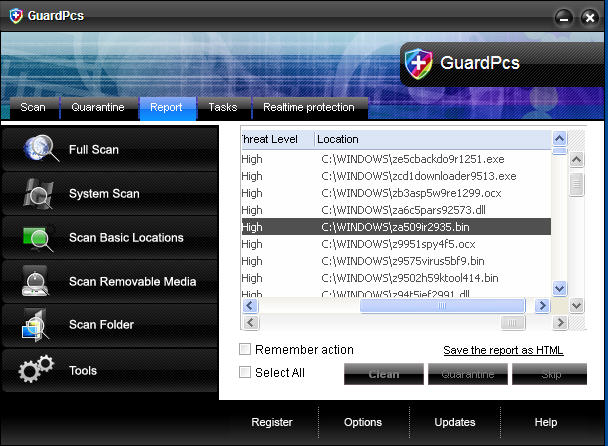
GuardPcs (also called as Guard Pcs) is a fake security application which appeared in the middle of December. Hailing from enormous WiniGuard group of malwares, Guard Pcs was created just like 50 other its relative programs where the latest are AntiKeep, REAnti and IguardPc. Be aware! Similarly to all these scams, GuardPcs must be avoided and removed from the system because this virus attempts only to make its victims purchase so called “licensed” version.
Guard Pcs uses misleading techniques to get into the compromised machine. It begins with fake video codecs or simple spam emails that usually let Trojans viruses come unrecognized and download all the additional data. To be more precise, Trojan FakeSmoke is closely associated with this scamware, which just after getting in creates fake random files and modifies Windows Registry.
After these important changes are made, GuardPCs becomes strong enough to start automatically when Windows starts and floods the desktop with tons of fake pop-up alerts, system tray notifications and other misleading messages. This rogueware classically initiates scanning the system for malware and detects its earlier created files as infections. By displaying this information, Guard Pcs expects users only to become scared and offers to purchase the “full” version of it. If it happens for you to find yourself redirected to its “official” guardpcs.com website, do not purchase this program. GuardPcs just pretends to be a reputable anti-spyware which will damage the system and steal all your private data instead. Please, use a reputable anti-spyware and delete Guard Pcs.
Automatic Malware removal tools
(Win)
Note: Spyhunter trial provides detection of parasites and assists in their removal for free. limited trial available, Terms of use, Privacy Policy, Uninstall Instructions,
(Mac)
Note: Combo Cleaner trial provides detection of parasites and assists in their removal for free. limited trial available, Terms of use, Privacy Policy, Uninstall Instructions, Refund Policy ,