Home > rogue application > Avira AntiVir Enhanced Protection Mode

How to remove Avira AntiVir Enhanced Protection Mode?

July 27th, 2011

What is Avira AntiVir Enhanced Protection Mode?

Avira AntiVir Enhanced Protection Mode is a malicious program which traditionally enters the system without any permission asked. It comes from the same creators as Avast Enhanced Protection Mode that both have ‘borrowed’ their names of legitimate security companies in order to infect PC with more viruses amd start to swindle users out of their money. Be aware that you may receive misleading alerts, pop-up ads and messages from Avira AntiVir Enhanced Protection Mode and, if you see such combination of the words, launch a reputable anti-spyware (Spyhunter, Malwarebytes Anti-Malware or other) to remove Avira AntiVir Enhanced Protection Mode.

By releasing all these hazardous rogue security programs, scammers expect PC users to believe they are powerfully protected by their antivirus. Infected users are usually informed that Avira AntiVir Enhanced Protection Mode has detected numerous viruses inside the system and that they are protected. In the meanwhile, trojan which downloaded Avira AntiVir Enhanced Protection Mode into your PC downoads more trojans and rootkits there that may start stealing sensitive information of yours. However, all the issues reported by this program are faked up and have no informative value. If simply ignored, Avira AntiVir Enhanced Protection Mode may also start its browser hijacking campaign and continuous redirections what will make you think about its removal even more.

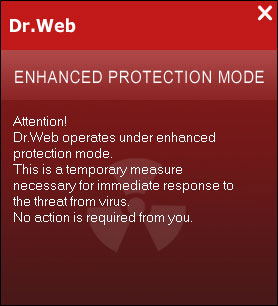
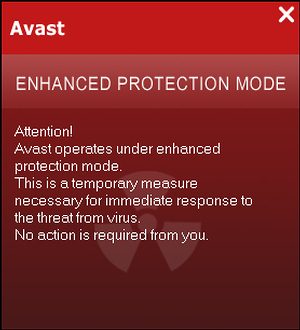
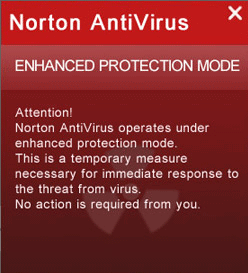
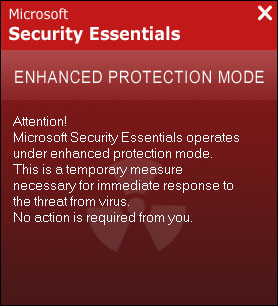
The alerts you must ignore sound like that:

Attention!
Avira AntiVir operates under enhanced protection mode. This is a temporary measure necessary for immediate response to the threat from a virus! No action is required from you.

No matter that it may look trustworthy, Avira AntiVir Enhanced Protection Mode acts just like a rogue anti-spyware, so never fall into its trap! You should realize that this is a total scam that will expect your money after sometime. Now its aim is to make you believe that your machine is infected and that your anti-virus is effectively working. Ignore its alerts and remove Avira AntiVir Enhanced Protection Mode immediately!


Avira AntiVir Enhanced Protection Mode is Highly dangerous

arrow Avira AntiVir Enhanced Protection Mode is a corrupt application
arrow Avira AntiVir Enhanced Protection Mode may spread via Trojans
arrow Avira AntiVir Enhanced Protection Mode asks to pay for non-functional "full version"
arrow Avira AntiVir Enhanced Protection Mode may display fake messages warning about computer problems
arrow Avira AntiVir Enhanced Protection Mode may install additional spyware to your computer
arrow Avira AntiVir Enhanced Protection Mode may repair its files, spread or update by itself
arrow Avira AntiVir Enhanced Protection Mode violates your privacy and compromises your security
Download Spyhunter
for Avira AntiVir Enhanced Protection Mode detection

Note: Spyhunter trial provides detection of parasite like Avira AntiVir Enhanced Protection Mode and assists in its removal for free. You can remove detected files, processes and registry entries yourself or purchase a full version.


Avira AntiVir Enhanced Protection Mode screenshots


Avira AntiVir Enhanced Protection Mode screenshot

Manual Avira AntiVir Enhanced Protection Mode removal


Important Note: Although it is possible to manually remove Avira AntiVir Enhanced Protection Mode, such activity can permanently damage your system if any mistakes are made in the process, as advanced spyware parasites are able to automatically repair themselves if not completely removed. Thus, manual spyware removal is recommended for experienced users only, such as IT specialists or highly qualified system administrators. For other users, we recommend using Spyhunter or other malware and spyware removal applications found on 2-viruses.com.
Stop these Avira AntiVir Enhanced Protection Mode processes:
Remove these Avira AntiVir Enhanced Protection Mode Registry Entries:
Remove these Avira AntiVir Enhanced Protection Mode files:
It is impossible to list all file names and locations of modern parasites. You can identify remaining parasites, other Avira AntiVir Enhanced Protection Mode infected files and get help in Avira AntiVir Enhanced Protection Mode removal by using free Spyhunter scanner. It comes with free real-time protection module that helps preventing Avira AntiVir Enhanced Protection Mode and similar threats.

Avira AntiVir Enhanced Protection Mode is classified as Rogue Application. After infecting a user’s system, it proceeds to scare its victim into buying the “product” by displaying fake messages, stating that your computer need particular components, or need to be fixed or has other serious problem that needs only Avira AntiVir Enhanced Protection Mode can help you to solve these after you download the trial version. As soon as the victim downloads Avira AntiVir Enhanced Protection Mode trial version, it offers to buy the full version to fix these false errors. If the user agrees, Avira AntiVir Enhanced Protection Mode not only does not fix the errors, but it takes the user’s money and may even install additional spyware into the victim’s computer.

Some Rogue Applications, such as Avira AntiVir Enhanced Protection Mode, may offer users to buy it after the victim clicks on a banner or a pop-up while surfing the internet. Usually, a Trojan is installed to a victim’s computer after clicking on the advertisement, or comes bundled with various freely shiped programs like codecs. It then proceeds to download or even install Avira AntiVir Enhanced Protection Mode, which is another way for Rogue application to spread itself.


How to tell if your PC has been infected by a Rogue Application such as Avira AntiVir Enhanced Protection Mode?

Numerous undesirable and annoying pop-ups: Rogue applications try to scare you into buing full versions by displaying various popups or fake alerts (like Avira AntiVir Enhanced Protection Mode fake alerts) in your browser or even windows computer. They try to convince you to download trial or buy full version.
Slow computer performance and non-working programs: Rogue applications try to slow down your system to force you to believe that there are problems that need to be fixed. They change your desktop background, show various alerts about registry errors or stop your PC from playing videos and images.

rogue application

  1. Wei Shin
    July 27th, 2011 at 16:24 | #1

    Sometimes when we download. Does this thing comes out? Because after my cousin finished downloading some stuff in my labtop, this Avira AntiVir Protection Mode pops up and I can’t access Avira.

    Thank you. Your article really helped me a lot.

    • July 27th, 2011 at 16:26 | #2

      Wei: this thing messes up with Avira only. Try downloading anti-malware programs. As far as we have tested the trojan, it does not stop other programs from launching. Just make sure you do not uninstal/reinstall avira, as that trojan is nasty and might cause system failure in such cases.

  2. James Burn
    September 14th, 2011 at 04:53 | #3

    It prevents users from booting into safe mode

  3. zack
    November 2nd, 2011 at 15:26 | #4

    Help! I can’t access the Avira and I can’t access my internet properly. I just can open Google. I can’t open other website s.a http://www.facebook.com , http://www.youtube.com and etc. Please help me!

  4. zack
    November 3rd, 2011 at 02:31 | #6

    The problem is; shall I buy a new installer from a shop or use the same disc that I use to install Avira? I didn’t understand, sorry.

  5. david
    December 4th, 2011 at 15:34 | #8

    Indeed this shit is in my computer aswel… What you have to do is download a spyware app mentionned here…with other device and transform it into the cimp by usb stick or mobile … Install and remive tgis shit… Never install a shitty antivirus our other free shitantivirus like avira again… Or

  1. No trackbacks yet.