
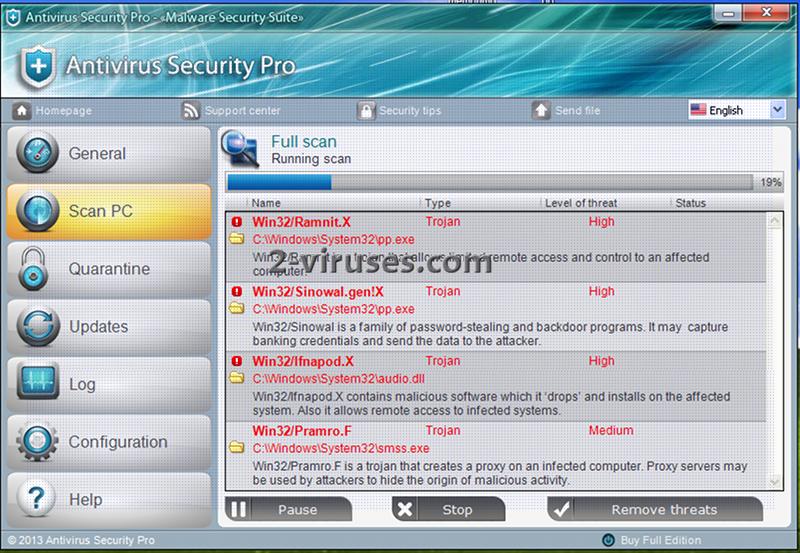
Antivirus Security Pro is a rogue antivirus program that seeks to to get money from users who have no experience with such scams. The program is a member of one of the largest rogue families – WinWebSec. It imitates being a legitimate security application while actually it has no useful functions at all. As it is not expected that anyone would install this program themselves, it is distributed by trojans. Thus it does not require users’ consent to be installed. The program claims that your system is infected and tries to convince you to get a full version of Antivirus Security Pro to remove the infections.
Once your PC is infected, Antivirus Security pro will always be running right from system booting up. It runs a system scan which in a couple of minutes reports about lots of infected items. The scan takes so little time as it only imitates looking for infections and later falsifies scan results. Your computer might be completely fine (besides the rogue itself), but Antivirus Security Pro will claim the opposite.
In addition to a fake scanner, the program displays various security notifications which strengthen the feeling that your system is at risk. These messages appear out of nowhere and report about system errors, spyware and other security related issues. All of them lead to an offer to activate a full version of Antivirus Security Pro. Here are some of the messages that may pop up on your system if you have gotten infected:
Warning! Infected file detected
Location: File System
Suspicious activity detected in the application notepad.exe to the behavior of the virus Win32/Conficker.X. For your security and to avoid loss of data, the operation of application notepad.exe has been temporarily restricted.
Remove Antivirus Security Pro as soon as you detect it on your computer. You should not pay for applications you have not installed yourself and which can not be uninstalled from control panel. If you have other user account available, run antimalware scan, e.g. Spyhunter after logging to it. If you can run a full system scan, this rogue can be removed. This is a very good reason to keep a separate administrator account that is used for such situations only. If this fails, follow the instructions below.
You can also try fake-registering Antivirus Security Pro using this code: AA39754E-715219CE. Remember that it will not remove the program, but only stop its activity for a while so you can run an antispyware and eliminate the application.
Special removal instructions of Antivirus Security Pro
- Reboot, while system boot starts press F8.
- Choose safe mode with networking.
- Start->Run enter https://www.2-viruses.com/downloads/spyhunter-i.exe . Save file on place you remember. Reboot normally.
- Rename Spyhunter installer from .exe extension to .com extension and run. You will need to be able to see extensions of the known file types. This will restore .exe file associations.
- Install and scan with Spyhunter, Hitman Pro, Malwarebytes Anti-Malware and other anti-malware programs (they should be able to install and run normally now). Delete Antivirus Security Pro startup entries and follow the instructions.
Automatic Malware removal tools
(Win)
Note: Spyhunter trial provides detection of parasites and assists in their removal for free. limited trial available, Terms of use, Privacy Policy, Uninstall Instructions,
(Mac)
Note: Combo Cleaner trial provides detection of parasites and assists in their removal for free. limited trial available, Terms of use, Privacy Policy, Uninstall Instructions, Refund Policy ,
Antivirus Security Pro also stops me from using safe mode with networking. As soon as I select it, the computer responds with shutting down. I cannot DO ANYTHING. What now?
Michael Schlumpf : Try fake-registering it in normal mode. In some cases this unblocks downloaded programs.